
latest
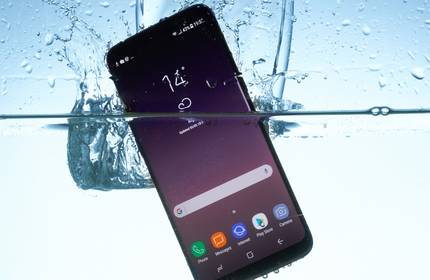
How to Save a Phone or Tablet Dropped in Water
Act quickly and get the water out to improve the chances of your device surviving.

How to Use an Oscilloscope to Troubleshoot Electronics
Whether you're tinkering with some homebrew circuits or trying to fix an appliance, an oscilloscope will make your troubleshooting easier.

Cracked Your Screen? 8 Things to Do About a Broken Phone Screen
Got a broken phone screen? Here's how you can fix, continue using, or sell your phone despite the cracked screen.

What Is the Right to Repair and Why Should You Care?
When old technology broke, you could fix yourself. If that failed, you could find a repair shop. With newer products, those options are disappearing. Let's talk about the importance of the Right to Repair.

Android Phone Speakers Not Working? 7 Tips and Fixes to Try
Did your Android phone's speakers stop working? Here are some tips and fixes to get your sound working properly again.

Is Your Phone Display Flickering? Try These 7 Fixes
Has your smartphone display started flickering or glitching? Work through these steps to get everything back to normal.

How to Fix the “iPad Is Disabled Connect to iTunes” Message Using 4uKey
This post is sponsored by Tenorshare.

What Causes OLED Burn-In? How to Fix, Avoid, and Prevent It
OLED burn-in can be solved with the right tricks. Here are several apps and tips for fixing and preventing OLED burn-in.

Torx Screws vs. Torx Security Screws: What’s the Difference?
Not only are there Torx screws, but you may comes across Torx Security or Plus screws in gadgets. Find out how to remove them.

Buttons Not Working on Your Android Phone? 5 Fixes and Workarounds
Have the power button or volume buttons on your Android phone stopped working? Try these fixes to repair or work around a faulty smartphone button.

What Is Samsung’s Self-Repair Program and How Does It Work?
If you've broken your Samsung phone, you might be able to fix it yourself using Samsung's self-repair service. Here's what you need to know.

Fix Your Broken Earphones With These YouTube Videos
Are your earphones or headphones broken or not working properly? Check out these YouTube videos for simple fixes for common issues.

How to Fix a Broken Charger Port on Your Phone, Tablet, or Laptop
If your device isn't charging up, there could be a fault with its charging port. These steps will help you to diagnose and fix the problem.

Is It Worth Self-Repairing Your Smartphone?
Can you fix it yourself, or should you head to the closest repair center?

Phone Cases vs. Skins: Which One Should You Choose?
Do you go for the extra security of a case or the slimline design of a skin?

9 Symptoms of a Water-Damaged iPhone
Find out if an iPhone has suffered water damage at some point in its life by looking for these signs.

How to Remove a Broken Headphone Plug From a Phone or Tablet
Holding a broken headphone connector? Earphone plug stuck in your iPad or phone? Here's how to remove a broken headphone jack.

9 Types of Phone Damage That Aren't Covered by Your Free Warranty
Yes, a warranty is good. No, it absolutely doesn't cover everything.

Samsung's Self-Repair vs. Apple's Self Service Repair Programs: Which Is Better for Consumers?
Apple and Samsung, two of the biggest smartphone makers in the world, offer self-repair programs, but one is much better than the other.
The Best Smartphone Repair Kits
Need to repair your smartphone and want to give it a go at home? Here are some of the best repair kits you can buy.