
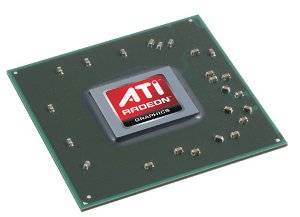
Laptops are great, but most are not known for performance when it comes to playing games and, in some cases, HD video (either streaming or Blu-Ray discs). If your attempts to enjoy a game on your laptop have been thwarted by low frame-rates or ugly graphics the problem is almost certainly your laptop video card - or, more accurately, the GPU (the graphics processor on a laptop usually placed on a separate card).
The solution to this problem is to buy a laptop with an awesome GPU the next time you go shopping.
As with most computer hardware, however, that may be easier said than done. Intel still swears up and down that their integrated graphics are fine, and there are a number of ATI Radeon integrated graphics processors that, while fine from a power savings standpoint, aren't good enough for a gaming laptop. However, we're not looking for laptop video cards that are fine or okay - we're looking for the top performers. Let's find them.
Nvidia Geforce GTX 400M Series

The brand-spanking new GTX 400 series is Nvidia's latest line of laptop video cards and boy, do they kick butt. The GTX 480M is currently the top performing laptop video card on the market. It boasts a 3DMark 06 score of about 15,500, which is 2,500 more than the quickest card from ATI. The slightly slower GTX 460M manages a score of about 12,400 as well. There is also supposed to be a middle-of-the-road GTX 470M, but I haven't noticed it in any laptops yet.
Being brand new, all of the 400M series cards support the latest DirectX 11 graphics. Clearly, all of the 400M series cards are very quick, but the power will absolutely come at the price of performance and heat generation. Any laptop with an Nvidia 400 series laptop video card can be expected to be large, run a little hot, and absolutely demolish battery life. The GTX 480M powered Clevo D901F, for example, drew a maximum of 318 watts of power.
That would be a lot for a desktop computer!
ATI Mobility Radeon HD 5800 Series

The top performing laptop video cards from ATI at the moment are the Radeon HD 5800 series (the same is true for desktop video cards, as well). This includes the Radeon HD 5870, 5850 and 5830.
All of these cards are among the best laptop video cards on the market today and have shown truly outstanding performance in benchmarks. The Radeon HD 5870 achieves a 3DMark 06 score of around 13,000, while the 5850 and 5830 receive scores of about 10,000 and 7,800 respectively.
The Radeon HD 5800 series video cards have also received high marks for their complete DirectX 11 support and their relatively cool operation. But make no mistake - a laptop video card of this caliber is going to suck down even a large battery like a peanut butter milkshake (Mmmm...good).
Nvidia Geforce GT 335M/330M

Further down the video card performance charts you'll find the Nvidia Geforce GT 335M and 330M. These older cousins in the Geforce lineup don't support DirectX 11 and are have much lower 3DMark 06 scores than the big, beefy GTX 400M series. The GT 335M scores around 6,500 and the 300M manages about 6,100. That's not bad performance, but it's obviously less than the take-no-prisoners GTX 480M.
What makes these laptop video cards stand out, however, is the inclusion of Nvidia Optimus on some laptops. Optimus is a graphics switching technology that turns off the laptop video card when it isn't really needed (an Intel IGP takes over when the Nvidia solution is off). This feature can be found in laptops like the Alienware M11x, Sony Vaio Z and ASUS N82Jv-X1.
Optimus makes it possible for these laptops to squeeze out one to two hours of extra battery life that laptops with similarly powerful, non-Optimus video cards can't manage.
ATI Mobility Radeon HD 5650

Last, but not least, we have the AT Mobility Radeon HD 5650. This little video card that could isn't going make you dislocate your jaw, but it does provide surprisingly good performance considering its typical price. It usually scores around 6,500 in 3DMark 06 benchmarks, which means it on par with the Nvidia Geforce GT 335M.
Yet Radeon HD 5650 laptops are usually far less expensive than models equipped with the GT 335M. Both Toshiba and Acer offer multiple models online that have this laptop video card and also cost less than $800. Laptops with the GT 335M are usually closer to $1,000.
The HD 5650 fully supports DirectX 11. ATI does have a switchable graphics technology that competes with Optimus, but it isn't widely used - as of the time of this writing, I could only find one laptop (an Acer TimelineX) being sold with it.
Conclusion
Obviously, I did skip some other top performing video cards in this article. Options like the ATI Mobility Radeon HD 5730 or Nvidia Geforce GTS 360M are perfectly fine, but are somewhat redundant. If you'd like a full list of ALL the options available I suggest having a gander at Notebook Check's mobile graphics card list. The 3DMark 06 figures listed here are approximate. Your performance will be different - faster or slower - depending on the speed of a laptop's processor and other components.
Also, you do not have to worry about HD video with any of these graphics cards. All of these video cards include GPU acceleration features that can easily handle any HD video you throw at them including both HD video falls and Blu-Ray disks. For more information check out our post What You Need to Play Video Smoothly On Your PC.