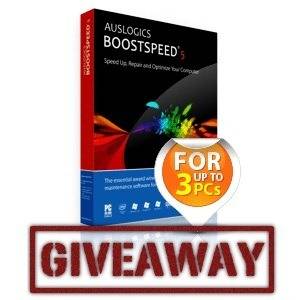
Speed Up & Maintain Your PC With Auslogics BoostSpeed 5.4 [Giveaway]

Auslogics BoostSpeed 5.4 is a one-stop PC optimization and maintenance application. It includes quick-scanning features that will easily optimize any user’s system, as well as a suite of advanced utilities that even experienced computer geeks can appreciate. Some of these advanced utilities include a duplicate file finder, disk space usage analyzer, startup manager, and file recovery tool – everything you’d need for PC maintenance in one great application.

We’ve given away older versions of Auslogics BoostSpeed in the past. The biggest new feature in Auslogics BoostSpeed 5.4 is full Windows 8 support (although it runs on the desktop and not in the new Windows 8 interface formerly known as Metro.) With that in mind, we decided to review BoostSpeed 5.4 on Windows 8 – don’t worry, it will work just as well on Windows 7, XP, and Vista.

Interested? This week we’re giving away 25 copies of Auslogics BoostSpeed 5.4 worth a total of $1,248. Each license can be used on up to three computers. Read on to learn more about Auslogics BoostSpeed and discover how you can win a copy!

Scanning Your System

Auslogics BoostSpeed isn’t just a utility for computer geeks – although it does contain a comprehensive toolbox of maintenance tools that computer geeks can appreciate. The first thing Auslogics BoostSpeed wants to do after installation is scan your computer for things it can fix. The scan looks for fragmented files that will be slow to access, junk files wasting space on your hard disk, broken shortcuts that won’t do anything when you click them, and Windows registry issues.

In addition to clicking the Scan Now button and viewing the problems yourself, you can click the arrow and select Scan and Repair – BoostSpeed will take care of everything for you. You can even use the Scan and Sleep or Scan and Shutdown options to run a scan, fix problems, and shut down your computer – everything  will happen without your intervention; you can leave your computer after clicking the option.

auslogics-boostspeed-on-startup

If you did select Scan Now, you can view the issues BoostSpeed will take care of and see even more detail before selecting which changes you want to make.

auslogics-boostspeed-system-scan-results

From the Program Settings window (click Settings and select Program Settings), you can configure Auslogics BoostSpeed to automatically scan and fix problems on your system.

auslogics-boostspeed-schedule

Monitoring Resource Usage

Has your computer ever slowed down for no apparent reason? Have you ever found yourself staring at a blinking light on your computer while your hard disk grinds away and wondered what was going on? The Resource Usage tab in BoostSpeed isn’t just another utility that displays system statistics – it can quickly answer the question “what application is maxing out my CPU?”; “which program is causing the hard disk to grind away?”; or “what’s hogging all my network bandwidth?”. This can be particularly useful for gamers looking for resource hogs running in the background, but it’s also useful to anyone looking to identify a misbehaving application.

auslogics-boostspeed-resource-usage

System Advisor

The System Advisor isn’t only about improving your computer’s performance – it also provides other system maintenance advice. Run the system advisor and it will recommend tweaks you can make to optimize your computer’s speed and remove unnecessary files from your hard disk. The tweaks can be performed right from this window – for example, if Auslogics BoostSpeed recommends you disable a specific system service, you can click the Disable Service link to instantly disable it, without having to launch the Services configuration panel and do it manually. You can also select all the tweaks and apply them immediately – this can save you a good amount of time.

auslogic-boostspeed-system-advisor

Some of the messages in the system advisor recommend you run one of the advanced tools – this helps you know which advanced tool you’ll benefit from running.

Advanced Tools

Auslogics BoostSpeed is packed full of useful utilities, which you’ll find on the Advanced Tools pane. You’ll find everything you’ll need to maintain your system here, including utilities for cleaning up temporary files, managing startup software, removing duplicate files, seeing which directories and files take up the most space on your hard disk, recovering deleted files, viewing system information, and more. There are free utilities that can handle all of these tasks, but Auslogics BoostSpeed gives you everything you need in one great application.

auslogics-boostspeed-advanced-tools

Auslogics has put a lot of attention to detail into these utilities. For example, the Software Control tools have a Google It button, so you can quickly see what a specific program does. This helps you make informed decisions when disabling applications or uninstalling them, without having to Alt-Tab and type the search into your browser yourself — this is just one of many time-saving tricks you’ll find in these utilities.

auslogics-startup-manager

Undoing Changes

If you ever want to undo a change you’ve made with Auslogics BoostSpeed, just select Rescue Center in the File menu. Every change you’ve made is listed here – you can easily restore one of the backups.

auslogics-rescue-center

If you’re unsure about whether Auslogics BoostSpeed 5.4 will work for you – or if you just want to get a head start before you win one of these licenses – you can download BoostSpeed and use it free for 15 days. There are no restrictions during the 15 day period, so you can take every feature for a test drive.

Want to use Auslogics BoostSpeed for more than 15 days? Good news, we’re giving away 25 copies of Auslogics BoostSpeed 5.4 this week — that’s a total of $1,248 worth of licenses!

How do I win a copy of Auslogics BoostSpeed 5.4?

Step 1: Fill in the giveaway form

Please fill in the form with your real name and email address so that we can get in touch if you are chosen as a winner.

The giveaway code required to activate the form is available from our Facebook page, Twitter stream and Google+ page.
 

The giveaway is over. Here are the winners:

  • Alex deniz
  • Carol Ann Maupin
  • Char Green
  • Constantin Capraru
  • Don Schloeder
  • Donavyn Elliott
  • Efrem Pannell
  • Eric wardowski
  • Fnu Heri
  • Gary wilson
  • Heru
  • Jim Ray
  • John Monaghan
  • John rhodes
  • Juan Feliciano
  • Margy Floyd
  • Michal
  • Paul Harris
  • Phebe Fee
  • Richard Greathouse
  • Richardson Smith
  • Ryan Johnk
  • Shrirang Javle
  • Stéphane Marrocq
  • Wee Choon Khai

Congratulations! If you were selected as a winner, you would have received your license via email from jackson@makeuseof.com. If you require any assistance, please get in touch with jackson@makeuseof.com before Sep 5. Enquires beyond this date will not be entertained.

Step 2: Share!

You’re almost done. Now, all that’s left to do is to share the post!

Like it

Tweet it

+1 on Google


(Note: no points will be awarded.)

Alternative entry method: Use your points!

Exchange your MakeUseOf points for an entry into the competition. First, create a MakeUseOf account, earn points and exchange your points for an entry! Learn more about our Game system and Rewards program.

Sorry, the competition is now over

By participating in this giveaway, you agree to the giveaway rules.

This giveaway begins now and ends Friday, August 31st. The winners will be selected at random and informed via email.

Spread the word to your friends and have fun!

Interested in sponsoring a giveaway? We’d love to hear from you. Get in touch with us via the form at the bottom of this page.


MakeUseOf Recommends

Chris Hoffman

Chris Hoffman is a tech blogger and all-around technology addict living in Vancouver, BC. Connect with him on Google+ or Twitter.

The comments were closed because the article is more than 180 days old.

If you have any questions related to stuff mentioned in the article or need help with any computer issue, just ask it on MakeUseOf Answers.

Hide 54 Comments

  • Robin August 27, 2012
    0 likes

    one of the best windows speed booster software. :) jumping in..

    | Like
  • LaptopRepairDat August 27, 2012
    0 likes

    Excellent Software

    | Like
  • Tanguy Djokovic August 27, 2012
    0 likes

    is it better than Game Booster 3? cause it was the one I was using and if you tell me that this one is better I might just switch.

    | Like
    • Chris Hoffman August 27, 2012
      0 likes

      I actually haven’t tried Game Booster 3, but it seems to have a feature BoostSpeed doesn’t (temporarily closing background apps for gaming mode). I didn’t see this feature in BoostSpeed.

      I think they both have slightly different use cases, although they’re a similar sort of application.

      | Like
      • Aditya Roy August 31, 2012
        0 likes

        Two different uses… Have tried game booster 3 also, hasn’t really helped me. Do not see any kind of difference.

        | Like
  • Aditya Roy August 27, 2012
    0 likes

    Already using version 5.1.0.0, so will skip this one.

    | Like
  • abo bahaa August 27, 2012
    0 likes

    nice software! thanks for the giveaway.

    | Like
  • Hugo Ch August 27, 2012
    0 likes

    any trial version to test it? thanks

    | Like
  • tarzan2001 August 27, 2012
    0 likes

    This looks like it would be a nice addition to my PC toolbox! :)

    | Like
  • Lauren Prince August 27, 2012
    0 likes

    Awesome!!

    | Like
  • achyut reddy August 27, 2012
    0 likes

    For some reason i cant use my points to claim an entry, and also the giveaway is not located in the rewards section either? :(

    | Like
  • Zoe August 27, 2012
    0 likes

    Hope I win one. I am currently using Total defense and generally satisfied. I did have one vendor hic-cup. However TD was very good at solving the issue.

    | Like
  • fatihamzah August 27, 2012
    0 likes

    What a great apps!, very specific

    | Like
  • Kelly Buchanan August 28, 2012
    0 likes

    I am unable to use my points to claim an entry. What’s up?

    | Like
  • James Thompson August 28, 2012
    0 likes

    I am not a super computer geek and this would make things so much easier!

    | Like
  • Benjamin Glass August 28, 2012
    0 likes

    Same here: I can’t use my points to claim the reward AND I can’t find the code on the Google+ page (the only social network I use).

    | Like
  • Sam Davie August 28, 2012
    0 likes

    https://www.facebook.com/makeuseof/app_171513306241558
    Not supplying code, I’ll try again later.
    I haven’t used Auslogics BoostSpeed before looks interesting.

    | Like
  • Va Du August 28, 2012
    0 likes

    Been using ccleaner my whole life so it might be a nice change of pace.

    | Like
  • Samit Tandukar August 28, 2012
    0 likes

    it is best system optimizer out there….thanks for giveaway!!!!

    | Like
  • Malkhaz Abuladze August 28, 2012
    0 likes

    great program for optimizing PC. Thanks

    | Like
  • Tug Ricks August 28, 2012
    0 likes

    I’m perfectly happy with CCleaner. Is this much better? Free software is great, but I’m just wondering if it’s really necessary when there’s so much out there for free.

    | Like
  • Nicko Porras August 28, 2012
    0 likes

    the registry cleaner broke windows 8 metro apps and its notification.

    | Like
  • Commodore Watty August 28, 2012
    0 likes

    a good Excellent Software

    | Like
  • Ali Mokdad August 28, 2012
    0 likes

    i cant get it.

    | Like
  • Przemek August 28, 2012
    0 likes

    I would love to have a free license :)

    | Like
  • Ashwin Ramesh August 28, 2012
    0 likes

    Cool! would love to have this!

    | Like
  • andy August 28, 2012
    0 likes

    This is EXACTLY why software piracy is so huge…

    Click here, join this, give your name, give your e-mail address…

    You do what they ask to get your free code, in the end= NOTHING!

    I’d BUY any other brand than jump through hoops for a bunch of BULL$#!^

    | Like
    • Reý Aetar August 29, 2012
      0 likes

      well you ARE WRONG absolutely … I won once…you didnt win that doesnt mean its bullshit try maybe this time its your chance

      | Like
  • Sebastian Hadinata August 28, 2012
    0 likes

    Seems like a good application to speed up system, and the rescue center will sure come in handy to undo changes made to the system :3

    | Like
  • ValmirMehmeti August 28, 2012
    0 likes

    It will be awesome to have this on my PC

    | Like
  • Pedro Oliva August 28, 2012
    0 likes

    :D i´ll wanna try this software :)

    | Like
  • sevatkody karuppiah August 28, 2012
    0 likes

    excellent

    | Like
  • Brian Howard August 28, 2012
    0 likes

    This one is actually a pretty good program. It makes it easier to change some hidden settings that may be slowing down your PC without having to get into the Registry yourself.

    | Like
  • RangerSenior August 29, 2012
    0 likes

    Good software.

    | Like
  • sachiny009 August 29, 2012
    0 likes

    My windows need this baby……….;)

    | Like
  • Jeffrey S August 29, 2012
    0 likes

    I’m in !!!
    Good luck to all!!!

    | Like
  • vineedcool August 29, 2012
    0 likes

    best of luck to all!!

    | Like
  • AP August 29, 2012
    0 likes

    I was Looking for this one.

    | Like
  • terry August 29, 2012
    0 likes

    I tried he trial version and it said it would only resolve 15 problems. any idea why?

    | Like
    • Reý Aetar August 29, 2012
      0 likes

      you ned to regester it

      | Like
  • Reý Aetar August 29, 2012
    0 likes

    used it once ,good, checked my system cleaned fixed errors but didnt notice any performance boosts..

    | Like
  • Muhammad Ahmad August 29, 2012
    0 likes

    Never tired it before. Just entered the giveaway. hope to win the license key.

    | Like
  • Bocharov Andrey August 29, 2012
    0 likes

    Nice software!Thanks.

    | Like
  • Tom Bogan August 30, 2012
    0 likes

    With my antique, looking to see what more I can gain/

    | Like
  • Lambvolution August 30, 2012
    0 likes

    hope i can with this!

    | Like
  • Kendall Sencherey August 30, 2012
    0 likes

    that sometin i need

    | Like
  • Rigoberto Garcia August 30, 2012
    0 likes

    Great… Thanks

    | Like
  • Mila Kun August 31, 2012
    0 likes

    Very handy. I’m in

    | Like
    • tasos tsiklis August 31, 2012
      0 likes

      i love it!

      | Like
    • tasos tsiklis August 31, 2012
      0 likes

      i love auslogics!!!

      | Like
  • Abed Saragih August 31, 2012
    0 likes

    Wow..thks very much.

    | Like
  • Praveen pandey August 31, 2012
    0 likes

    is it useful for person havine less use

    | Like
  • Josh Gauthier August 31, 2012
    0 likes

    I used the trial of this a long time ago. Can’t remember if it helped or not, but my computer is over a year older now so it’d be really awesome to get a copy to try again!

    | Like
  • Shahzad Billimoria September 1, 2012
    0 likes

    nice

    | Like