
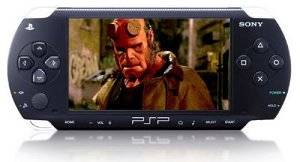
One of the virtues of having a PSP is the ability to play media on the go. Whether you're in the car, on an airplane, or just enjoying your coffee break.
If you've cracked your PSP, you can get nearly all films working on your device, but otherwise, your movie watching is entirely limited to MP4 files.
Today we'll have a detailed look at PSP movies, and lay out the different possibilities for obtaining them; download sources and convertion.
Downloading Free Movies For PSP Via Movie Portals
As a rule, the easiest thing to do is find like-minded people who have already gone through all the trouble. There are a number of PSP movie portals to be found on the internet, loaded with PSP-compatible films.
Depending on the content you download and the country you live in, these sites can be completely legal, or punishable by law. If you're unsure about the content you're about to download, you should check the laws in your country of residence.
At all times, you should watch out for fake websites offering downloads in exchange for your credit card number.
Daily PSP Video
Daily PSP Video frequently uploads new MP4 clips. These include funny shorts, wicked commercials and music videos. All content on the site ought to be legal, and hardly ever lasts longer than a few minutes.

The files are hosted on a local server, allowing direct download without an account on file sharing websites.
PSP Mafia
PSP Mafia is a warez forum completely dedicated to PSP downloads. This includes, but is not limited to, the latest batch of movies, games and music. Registration is not required, but all downloads are hosted on external file sharing servers, like MegaUpload, Rapidshare, and such.

Most files published on PSP Mafia are copyrighted and thus illegal unless you own the original movie or live in a select few countries. Think twice about what you're doing before you start downloading free movies for your PSP that might get you into trouble.
Other Sites
Check out the PSP Top 200, an online ranking directory of PSP sites. Here you'll find the best sites for PSP wallpapers, videos, games and more - as determined by user votes. In this list, you'll find several more sites offering MP4 clips and warez forums, although most require registration.
Converting Your Existing Files
Of course you could just convert any existing video file to play on your PSP. By default, the device plays MP4 files, similar to the iPod. This means that - apart from the aspect ratio at times - all videos for the iPod will also run the PSP.

There are a ton of articles about this subject on MakeUseOf already, which are definitely worth your time. Check out how to convert all your files with EncodeHD for Windows.
Extra: Downloading Free Movies For PSP From Google Video
There are several online video sites that allow for file downloads. Sadly, most of these require a premium membership to do so. One beautiful exception is [NO LONGER WORKS] Google Video. They not only offer all their videos up for download, but have also converted them for playback on iPods and PSPs.
So basically, if your video is to be found on Google Video, you can put it on your PSP in an instant. The easiest way to tackle this is by using [NO LONGER WORKS] Google Video's advanced search.

Use a custom search inquiry and specify the duration of the video (this comes in handy to filter out related trailers and music videos). Next, be sure to you've chosen google.com as the required domain - after all, these are the only videos you'll be able to download.

If you've found a video of your liking, simply take a look at the details in the topright corner of the page. There should be a PSP download link there, saving you a whole lot of trouble!
Ready for a movie on the go? If you know of any other ways to load your PSP up with free movies, or want to ask anything about the techniques discussed above, drop a line in the comments section below.
If you thought today's article to be useful, you might also enjoy our articles about how to transfer music to your PSP and how to download free games for your PSP.