
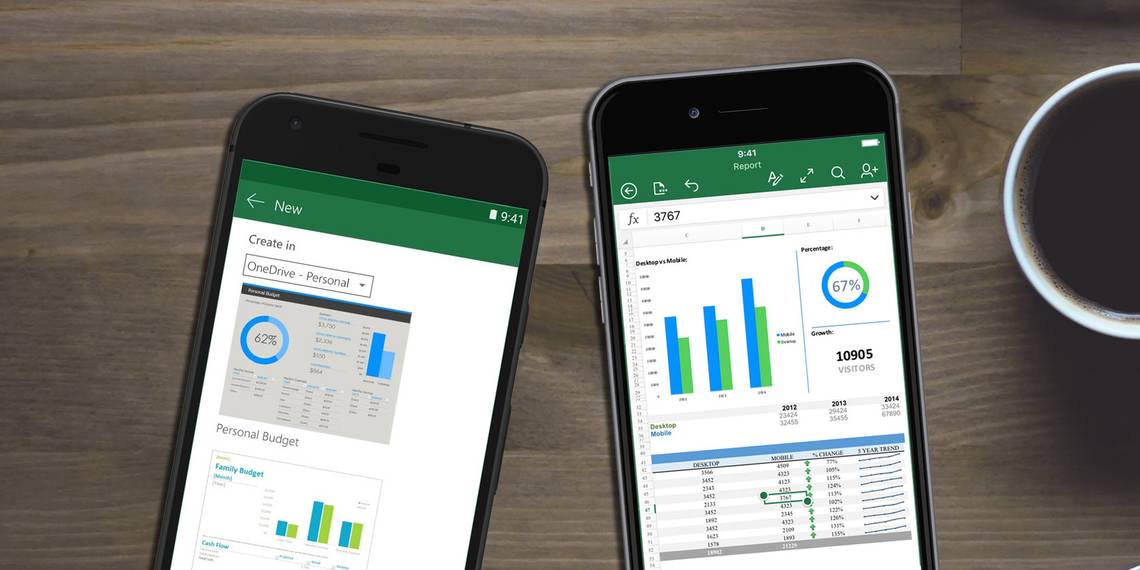
Even when it comes to viewing spreadsheets, our mobile devices are more capable than they once were, but they're still not perfect. For instance, your iPhone may be able to preview a spreadsheet attached to an email without a purpose-built app, but there's no guarantee that it will appear exactly as it did on the sender's monitor.
Sometimes, it takes specialized software to get the job done properly. Fortunately, there are several different apps that are capable of opening up spreadsheets and helping you make your edits. Here are the best of the bunch.
How to Open a Spreadsheet Natively
To edit a spreadsheet on your smartphone, you'll want to download one of the apps listed below. However, if you only need to view the document, you might be able to use built-in tools.
How to Open a Spreadsheet Using Google Drive on Android
Most recent Android devices come pre-loaded with Google Play Services, which includes Google Drive. You should be able to open up Excel files natively using this functionality — if not, check out one of the apps featured in this article.
How to Open a Spreadsheet as an Email Attachment on iOS
Android users have many ways to transfer files to their device, but on iOS it's not so easy. However, it's still relatively straightforward to open up documents sent to you as an email attachment.
Simply open up the attachment itself from the Mail app, then press the button in the bottom-right corner.

This will present you with some advanced options. Scroll through the middle bar of icons to find your desired app. You'll be able to import the content into your chosen editor.

Of course, the apps themselves offer other methods of opening files. The examples in this article even support cloud-based file storage. This is just a quick and easy way of receiving and opening a spreadsheet from another user on iOS.
Microsoft Excel
The chances are that the spreadsheet you're trying to view was created with Excel, so why not use the same program for true continuity?
Microsoft made no secret of its intention to bring mobile closer to the desktop experience with the release of Windows 10, and many improvements were made to the Office suite as part of this effort. While previous mobile apps were severely limited compared to the desktop version, the current Excel app for iOS and Android is very robust.

However, there is one caveat — while the app itself is free, its capabilities depend on what sort of Office subscription you have access to. Basic functionality is available to all users, but more advanced features require an active Office 365 membership.
One major downside of the Excel app is its size. At over 400 MB, it's perhaps too large for users working with a limited amount of storage space. That said, it's head and shoulders above its competition in terms of compatibility with the desktop client, its feature set, and its overall level of polish.
Download — Microsoft Excel for Android (Free with in-app purchases), Microsoft Excel for iOS (Free with in-app purchases)
Google Sheets
In terms of free Office competitors, no one can really compete with Google. The company's services are available across all platforms — including a potent web-based client — making them very easily accessible. What's more, their collaboration options are neck-and-neck with Microsoft's output.

The Google Sheets app is a very capable spreadsheet viewer and editor for smartphones and tablets. To an even greater extent than the Excel app, its functionality has been tailored toward usage on a smaller screen size. This is particularly useful if you're using your phone.
The biggest benefit of using Google Sheets is its strong links with the wider Google ecosystem. It's easy to access files from your Drive, and share spreadsheets with other users. Multiple users can even work together in the same spreadsheet, at the same time.
Download — Google Sheets for Android (Free), Google Sheets for iOS (Free)
Citrix QuickEdit
While Citrix isn't a household name on the level of Microsoft and Google, the business communications giant demonstrates its knack for the workplace with the QuickEdit app. This piece of software allows you to view and edit Excel spreadsheets for free, and its highly refined interface might suit some users better than the other apps featured above.

QuickEdit devotes as much screen space as possible to the spreadsheet itself. To allow for this, minimalist icons offer easy access to wide range of functionality. A button in the top right corner makes sure that the keyboard is accessible at all times. Meanwhile, a small, swipe-enabled toolbar at the bottom of the screen contains quick links to formatting functionality, save and load operations, and a host of other essentials.
The app's biggest failing is its dated visual appearance. We expect business software to be a little dour, but spreadsheets simply look less appealing here than they do in other apps. On the other hand, they're perfectly clear and legible, even if they're not as attractive.
Download — Citrix QuickEdit for iOS (Free)
Do you have a recommendation for a particular spreadsheet viewer for iOS and Android? Or are you having issues with one of the apps in this guide? You can ask for help — or offer assistance — in the comments section below.
Originally written by Simon Slangen on September 17, 2012.