• Home
  • Directory
  • Geeky Fun
  • Answers
  • MakeUseOf Guides
cool websites
RSS Twitter Facebook
Subscribe to MakeUseOf. Now, 168728 members!
Aweber

Identify Unknown Files with TrID [Windows/Linux]

By Varun Kashyap on Jun. 8th, 2009

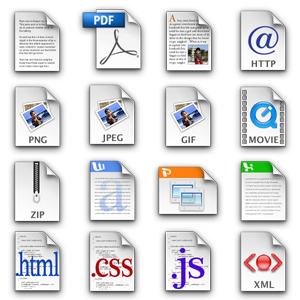
identify-unknown-files Ever get stuck with any unrecognizable file extensions? If you get a lot of attachments in the mail, you’ll know what I am talking about. It is amazing how messed up things can get if one of your friends or colleagues enters a wrong file extension.

So, what do you do? How can you identify unknown files? Spend the next 10 minutes trying to open it in Word, PowerPoint, Open Office or maybe it is a PDF? Or perhaps you Google for some information. What if the extension is wrong?

TrID is a nice little utility to have on your computer for situations like this. Linux users have something similar in the “file” command. TrID identifies file types based on their signatures. What distinguishes TrID is the fact that it uses database of definitions to identify file types. This database is ever expanding (somewhat like definitions for Antivirus programs) and allows TrID to identify a wider range of file types.

You can use TrID in 3 flavors. The TrID – File Identifier is inherently a command line utility. You can pass the file to be identified as an argument and use the various switches to view additional information about the file in question. You don’t need to worry about typing long paths and filenames. You can use the -v switch for additional information, -w to wait for key press after showing results and -d to specify a different definitions package.

TrIDNet is the GUI version of TrID. Browse to the file you want to analyze and allow TrIDNet to enlighten you! Double-clicking on an item would show extra information about it.

You can also use TrID Online. Just visit here, upload the file you want to identify, hit Analyze and wait for the results to show up. You can also run through the various file extension definitions if you just want to look up a particular file extension and what it does.

TrID is a great utility to help you identify unknown filetypes with ease. You can then search the web if you are unsure of the software you should use to open the identified file. Try Openwith for the same result.

If you encounter a file type that is not (or wrongly) identified by TrID, you can help create definitions using TrIDScan and other TrID users will be able to benefit from your created definitions.

Do you know of any similar utilities that can be used to identify unknown files? Which sites do you refer for information on file extensions? Share with us in the comments.

stumble it!

(By) Varun Kashyap - Programmer, Blogger and Tech Enthusiast, who tweets @VarunKashyap and blogs about tips, tricks and latest on the web at TechCrazy Blog

Enjoyed the article? Subscribe to MakeUseOf to get daily updates on new cool websites and programs in your email for free. You'll also get free printable cheat sheets to your favorite programs

Your Email:


More about: file renamer . files . windows tips

3 Comments

2009-06-08 12:16:10
newbieworks

Looks great, I always used to open the file in Hex Workshop and look at the first few bytes (normally the extension)

Reply to this comment
2009-06-12 20:38:37
Mackenzie

On Linux:
Type the word “file” followed by the filename in the shell. Ta-da!

Reply to this comment
2009-06-16 04:44:05
rspencer
Subscribed to comments via email

Check out the DROID project on SourceForge.net: DROID

Reply to this comment
Reply
Note: Comments with abusive content, sarcastic grammar nitpicking, self-promotion will not be published. All comments are moderated.
Click here to cancel "reply".

TopicsMUO Guides
  • Browsing
  • Cool Software
  • Web Apps
  • Lists of Tools
  • How-To Tips
  • Windows
  • Mac
  • Linux
  • Gaming
  • Mobile Apps
  • Polls
  • Geeky Fun
  • BitTorrentThe Easy Guide
  • iPhoneUnofficial Manual
  • ItunesThe Big Book
  • LinuxGetting Started
  • MacBeginner's Guide
  • MoviesFor Movie Addicts
  • PC BuildingThe Idiot's Guide
  • ProductivityProductivity Guide
  • PhotoshopThe Idiot's Guide
  • TwitterBest Tips & Tricks
  • More Guides
Follow us on Twitter
Be Our Friend on Facebook
MakeUseOf Staff
Editors:
  • Editor in ChiefAibek Esengulov
  • MakeUseOf Directory's EditorKaly
  • Managing EditorMark O'Neill
  • Assistant EditorJackson Chung
  • MUO WP GuyJorge Sierra
  • PDF ManualsSimon Slangen
  • Promotion & SEORyan Dube
  • Sys AdminKarl Gechlik
  • MakeUseOf NewsletterSaikat Basu
  • MakeUseOf Answers EditorTina Sieber
Staff Authors:
  • ( Ask The Admin )Karl Gechlik
  • Tina Sieber
  • ( Tech Crazy )Varun Kashyap
  • ( The Things I Do )Saikat Basu
  • ( simonslangen.com )Simon Slangen
  • ( Free Writing Center )Ryan Dube
  • ( Super Subconscious)Jeffry Thurana
  • ( Tapping Thought )Dean Sherwin
  • ( Mac Photography Tips )Bakari Chavanu
  • ( timmyjohnboy.com )Tim Lenahan
  • ( Boulder Community Computers )Justin Pot
  • Other Active Authors ...


© 2010 MakeUseOf . Designed by kailoon AboutContactSubmit AppWrite For UsArchivesMobile VersionDisclaimer visitor stats