If you’re a student or someone who takes notes a regular basis, you may be interested in a fun and even artistic movement called Sketchnoting. Sketchnoting is like notetaking, but it includes visual notes as well as words. It’s a way of conceptualizing ideas, information, and other data on paper (or a digital tablet) beyond the traditional text medium of outlining.
Sketchnoting, or visual notetaking, is for clustering information and capturing big ideas. But if you think Sketchnoting is only for artists, it’s not. Sketchnoting is not about creating artwork per se, it’s about making notes visible and memorable with simple basic drawing skills. I’ve spent a few days learning about Sketchnoting, and I want to share with you what I’ve discovered so far.
Sketchnote Army
One of the first sites to visit and learn about Sketchnoting is Sketchnote Army, created and maintained by designers Mike Rohde and Binaebi Akah. This site displays some of the best work of skilled, professional Sketchnoters, but don’t let the power and intricacies of their sketchnotes scare you, especially if you don’t have drawing skills.

In fact, sketchnoting is not about drawing per se, it involves using text, fonts, diagrams, bullets, and visual pictures and icons, similar to how you may use an advanced word processor (the above sketchnotes, by the way, are taken from Sketchnote Army, and was produced by Javier Sandoval, based on a lecture about infographics and data visualization).
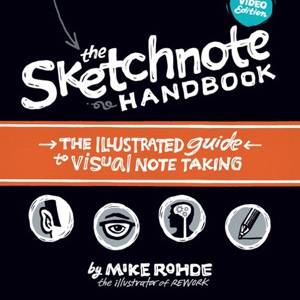
As Mike Rohde points out in his forthcoming book, The Sketchnote Handbook, you only need to know 5 basic elements to draw ideas: circle, square, triangle, line, and dot.

The Graphic Recorder
Another good site to learn about Sketchnoting is the Graphic Recorder. Educator Doug Neil has written several blog posts about his graphic recording process, experiments, and learning. His site includes useful examples about developing a visual library and vocabulary, which are images and ideas you might use when doing visual notetaking.

His other interesting blog posts include examples of Handwritten Quotes, the One Card One Concept method, and examples of sketchnoted books he has read.

A similar resource to the Graphic Recorder is VisualNotetaking.net. It features video tutorials and numerous examples sketchnoting.
Sketchnoting on the iPad
Professional sketchnoter, Linda Sauo-Rauta, has produced a short video introduction about using the iPad (or other supporting table device) for sketchnoting. Though I have more control over my handwritten notes and illustrations using good old pen and paper, using various drawing and notebook apps on the iPad provides is an awesome and cheaper way to doing sketchnotes.
With the iPad and apps such as Sketch Rolls, Bamboo Paper, Jot! Adobe Ideas, and Penultimate, you can practice, doodle, and experiment as much as you like without wasting a single sheet of paper. All these apps produce smooth “ink” and allow you to change ink colors and pen sizes.
The Adobe Ideas app works best in my view because it allows you to pinch and zoom in on the canvas to draw details, as well as add up to 10 layers for overlapping and adding images and text.

Penultimate is useful for actually crating notebooks using the sketchbook method. It has the look of a Moleskine notebook, but again you’re not waisting expensive paper. You can create separate notebooks, and import images from other sources.

Sketchnoting has become for me an early New Year’s resolution to start taking notes of books I read, lectures I attend, and just plain old brainstorming using the visual notetaking method. I can already see that taking notes this way will not only help me remember information better, but I will more likely go back and review my notes because of the way they were created.
Let us what you think of Sketchnoting. Have you tried it yet? If you have posted your work online, feel free to share a link.
MakeUseOf Recommends
More articles about:
Hide 50 Comments
I found that the easiest and best tool to Sketchnote is an Apen Smart Pen:
http://www.apenusa.com/productdetail.php?product_id=3
or the Wacom Inkling:
http://www.wacom.com/en/creative/products/mobile/inkling
Steve, thanks for these resources. I never heard of the Apen Smart Pen. Will definitely check it out.
I do this ever since I can remember. Forced to turn back to formal, boring way after a teacher scolded me because ‘not being serious with my note’. Not everyone like seeing cartoons and doodles on their notes. I always do this for any personal purposes, though not as intricate and wonderful like those examples.
Lisa, thanks for sharing your experiences. I imagine many other students have had similar experiences. Actually, sketchnoting should be taught in the schools, because most of are in fact visual learners.
Struggling on – have decided to give it a half years. I used paper notebooks in the past and can be really happy when I looked at them today. With the computer, I stopped and it was probably not so smart. But it takes time to return…
Mac, I’m pretty the same way. I rarely handwrite any more, and that’s another reason I want to learn sketchnoting. I think ti’s an awesome to conceptualize information and ideas.
I can see this being immensely helpful to visual learners. Personally I have been drawing helpful doodles next to my notes since I’ve been in college. Not only am I entertained, I have condensed ideas down to a single picture. Great article.
Thanks for your feedback, Drew. I agree, I think in fact, sketchnoting should be taught in the schools. Many students could benefit.
good article but I would like to know if there are any good sketching apps for android phones and tablets.
Junil, I have follow-up article coming out about iOS drawing apps. Maybe someone on our staff can research and write one for Android tablets.
I just saw that Sketch notes is also available on Android and it’s free : https://play.google.com/store/apps/details?id=com.manichord.sketchnotes&hl=fr
Thanks for sharing the video that I made! It was difficult to draw with iPad at first, but it’s a lot easier than with e.g. Wacom Bamboo etc. I’m still waiting for a couple of more features for Adobe Ideas but this latest update with better layer control and different brushes sure helps me a lot. Any suggestions for a topic of my next video about sketchnoting?
Hey Linda, thanks for your video. I have a follow-up article about other iPad apps for sketchnoting. I’m not sure they’re the best solutions for a lot of people doing sketchnoting, but they are useful for practicing drawing and typography. Your video definitely shows what’s possible. Hope you do another follow-up video showing how you use the Wacom Bamboo.
I’ve also been getting a lot of questions about how I created that film, so maybe that should be the topic of my follow-up video… :)
I actually don’t use the Wacom Bamboo anymore since it’s so much easier to draw with an iPad.
I do all my sketchnoting with the iPad so I guess it sure is suitable for sketchnoting. You can find more examples of my sketchnotes e.g. here: http://saurau.posterous.com
That looks like a really fun way to take notes if you can draw quick enough, and I bet its a good way to learn and remember the ideas in the topic. We really are visual creatures. Even the words in a book conjure up images in our minds as we read. I’ll have to give sketchnoting a whirl. thanks for sharing Bakari.
Thanks, Ron, appreciate your feedback. I think you’ll find the process of sketchnoting fun and creative. I have another article coming about iPad apps that could be useful for sketchnoting.
Woahhhh…..those are some SERIOUS sketchers out there!!!
Lol, Mark, some of the skethnotes are little intimidating to me. Wish I had those levels of skills.
I think this is very similar to Mind Mapping as created by Tony Buzan. Although I have never worked at this electronically, I use it all the time on paper.
Yep, I agree Graham, it is similar to Mind Mapping. I would say that the biggest difference though is that sketchnoting is a little more free form, whereas mind mapping can be more structured. But both are about conceptualizing information and ideas. Thanks for your feedback.
Thanks Bakari for a great article on sketchnoting! I’m excited to see so much interest in the topic. I do hope anyone who is a non-artist will give it a go, because I think you’re more visual than you may realize.
I’m especially curious about better applying these skills to using an iPad this year. In the past the limitation on resolution of line has been an issue for me — I think I need to embrace this limitation as a good challenge and Linda’s video is a great start.
Linda – I would love to see your tutorial on using zooming features when you sketchnote. I think the challenge with iPad for me might be relieved if I use some kind of zooming technique to capture more info.
Thanks again Bakari!
Mike
Hey Mike, thank you for your response. As you can see I’m not much of an artist, but I am really jazzed about sketchnoting, and I’m trying to get my own kids to start using it. I have another article published about using sketchnoting on the iPad, but I too have already discovered that sketchnoting on pen and paper easier and more precise. However, since I have the iPad device, I can practice sketchnoting without the fear wasting paper and an expensive notebook.
I have already read the PDF version of your book, and I look for to follow in your podcast. I just need to keep practicing with the drawing.
Again, thanks for our feedback, and please keep in touch.
Hi Mike!
Zooming has become somewhat automatic when I do my sketchnotes. The Adobe Ideas provides endless canvas and with the help of the zooming gesture I can get to small, tiny and microscopic details. That’s a great feature.
IPad is also very handy in the seminars: you don’t need any extra light because the screen is bright enough, the battery lasts for a whole day and it’s easy to share the doodle right away. That’s my choice but I guess it could have been a notebook, too. I just happened to have my iPad with me in a lot of boooooring meetings :)
What a great idea! so many now think in pictures over written word and new ideas/notes would stick in their minds so much better.
Definitely sending this article to my son and friends in college!
Thanks for sharing!
I agree Nancy, they should be teaching sketchnoting in the schools. A lot of students can benefit from it.
This seems to be the best thing since sliced bread!
Glad you liked the ideas, Shmuel. Thanks for your feedback.
Awesome learning strategy for visual learners!
Thanks for your feedback.
Definitely a great idea. Thanks for bringing this to light. I’ve done this since high school, and yes, this is encouraged in many elementary schools now. The mixture of text and visuals really allows for a fuller demonstration of understanding.
The sketchnotes you’ve chosen are beautiful, but that’s also the limiting factor for many students. The two requirements are some physical artisic ability and the creativity to put concepts to paper in a meaningful way.
Cory, thanks for your thoughtful feedback. You raise a concern I have about the growing sketchnoting movement, which I think it is important to remember that sketchnoting should not be about showing off sketchnotes. While there are some very good sketchnoters out there, not everyone needs to show off their work. Instead, it’s important to use it as a tool for you own understanding of information and ideas. In fact, many of the really good “sketchnotes I’ve seen are very difficult to read and comprehend by me, but probably not to the person who wrote them. So while drawing is important to sketchnoting, the visual elements can be very basic and learned by nearly anyway.
its awesome … i will try to save my notes like tht .. thanx once again
You’re welcome, Rajesh.
I find visual explanations to be easy to follow. However, as a Senior (60+) too much clutter will deter my understanding. Please keep that in mind when designing for the masses.
Very true, Catherine. I think it’s important to make visual notes useful to you. If you’re doing for others to read, it’s important they be structured so they are easy to follow. Some really great looking sketchnotes have awesome drawings, but you can’t understand what they are saying because they are too cluttered.
I use http://lifenote.it, simply put its like twitter for notes.
Thanks, Ian, for letting us know about this.
I remember when i was a child not too long after the war there were newspaper columns about historic London which came out as two softbacks. They were favourites of mine and they were in Sketchnote format. I’m talking fifties. Not a lot is new. i Pads, tablets, they’re new.
Good point, Damon. Thanks for your comment.
Great article on the learning but missed the app http://www.fiftythree.com/paper Makes an amateur a pro ;)
Oh so true, Jens. I have the 53 app on my iPad now. Love the layout. Totally love the brushes and smooth ink. But I have harder time actually writing words with this app than I do with others. Nevertheless, it’s still awesome and I plan to use it for various type of drawings and notes.
You got a good point there Bakari – that’s why I’m waiting for the pen to arrive :)
Please let me know how the pen works out for you. I purchased a Bamboo pen that is not better than the Proof stylus pen that I paid half the price for.
Wooow! This is be some crazy shit
Lol, glad you like it.
Oh Wow! I am student and sure, this would really help me as I will save all my notes which i took during the class and save it in here.
Thanks MAKEUSEOF <3
Yes it greats apps and should give a try… we will like it…
Thanks, Din, for the feedback.
You’re welcome, Huzefa.
Now this I like guys, very nicely written piece for helping one organize! It is almost too simple to believe it could be useful.