
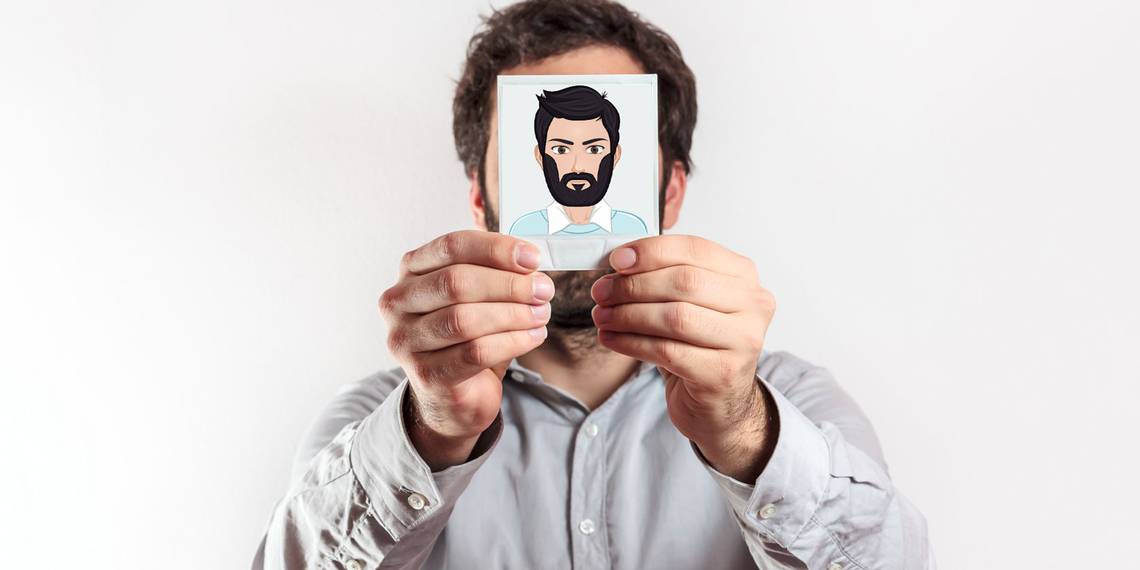
To have an online presence, you are going to need a good avatar. Given the need to protect your privacy online, you shouldn't be using an actual photo of yourself.
For those who don't know, an avatar is the same thing as a profile picture. But instead of an actual photo, you create a tiny image of a person that best represents you. There are different types of avatars you can try, from cartoons to banners.
You don't need to be an artist to make any of these, either. There are many free sites that let you create cool avatars you can customize, download, and use. So whether it's for Steam or some forum, here are some of the easiest ways to create a great avatar profile pic.
1. Avataaars Generator

Web design principles and standards change over time. An avatar today has to look like it belongs on the web. Since emojis are an accepted look today, this site helps you make an emoji-like avatar.
Choose the hair or headgear, accessories, clothes, eyes, eyebrows, mouth, and skin color. Mess around with them to create an avatar that looks like you (or the one you want to show people online). If you just need something quick and random, select the website's Random button. Once you're done, download it to your hard drive.
Avataaars Generator is completely free. You can download your avatar as a PNG file or an SVG vector graphic. You can view it as HTML or React code.
2. Face.co

Avataaars Generator is gorgeous and easy, but the things you can customize are minimal. Face.co is all about giving you choices in every aspect of how you build your profile avatar online.
You can customize your mouth, nose, ears, eyes, eyebrows, and hair. Color variants are available for the iris, hair, and skin. And you can change your clothes too, as well as add a cool background image.
You'll find many variants of this site online. The only reason we picked Face.co is that it offers a secure connection through HTTPS.
3. 8BitIcon

Retro 8-bit pixel art has made a comeback in a big way. Nostalgic memories of old-school games and animations are popular all over the web. And, of course, that includes when it comes to making your own avatar.
8BitIcon is a lot like Face.co, only with pixel art. Choose a background, a face, clothes, mouth, hair, and eyes. And your gender too.
Unusually, 8BitIcon now positions itself as a way to create avatars that are also non-fungible tokens (NFTs). To claim yours, you need to pay in the cryptocurrency Ethereum. Or you can just right-click the image and download a PNG file through your browser for free.
There isn't a huge variety of options at 8BitIcon, but it's good enough. And the whole NFT angle could be a compelling reason to use it.
4. Powerpuff Yourself

Cartoon Network has created a way to build an avatar out of one of its most popular toons: the Powerpuff Girls. So go ahead and "Powerpuff Yourself."
First select skin color, eyes, mouth, hair, beard (optional) in the Self section. Then, go to Gear to select your attire, glasses, an object in your hand, and a companion like a dog or an object like a football. Once you're done, Powerpuff Yourself will try to create a cool background for the avatar.
What follows is a questionnaire to determine your personality. Answer a short quiz and the app will make a background accordingly. You can download or share this as a static background, animated background, or a blank one. Cool, right?
5. The Character Creator

The Character Creator is another cool avatar creator. The site allows you to create an avatar by starting from scratch and moving to the top, customizing different features of your avatar. You start by selecting a male or female character, and little by little, you add additional features to customize the look of your avatar just the way you want it.
Once done, you can download the avatar as an SVG or PNG file. Character Creator allows you to download a full-body avatar, only the upper body, or for avatar profile pictures, a close-up. You're then free to use your creation anywhere you want.
By creating an account, you will be able to access your avatar in the future. Plus, you can make multiple ones and save them all as part of your account.
6. DoppelMe

Would you be surprised if this site was different than all the rest? Well, it's not really. You start with a naked avatar, select little bits and pieces from a variety of looks, styles, and extras, then you're done.
Unfortunately, you only get access to all the options when you sign up with the site. But once you have signed up, there are plenty of unique options—with the exception of a cool posture.
7. Avachara

Avachara lets you create your anime-style avatar. In addition to skin tone and gender, you can choose from a selection of face shapes, eyes, noses, mouths, brows, and hair.
You can select from a wide range of clothes that includes everything other than footwear. Choose from basic outfits, as well as more unusual items like a construction helmet and a Santa dress.
If you want to add extra items, you've got a good number to choose from. There are items like guitars and swords, as well as pets, glasses, and flag icons. Finally, you can choose a background pattern or color.
When you're finished, you can download your avatar as a PNG file or a JPEG, in two different sizes—one full-body and the other showing only the head and shoulders.
8. Avatar Maker

Avatar Maker is another site that you can use to create your avatar. As an avatar profile picture maker, the site only allows you to create an avatar with only the head and shoulders—perfect for creating an avatar for Facebook, TikTok, or Instagram. The site allows customization and provides a number of different elements to choose from while making your avatar.
Start by selecting your gender, a base avatar to start with, and you can customize it further by changing the shape of the face, eyes, nose, mouth, ears, hair, and more. If you feel the avatar is not centered well, use the arrows below the preview to move it to the right spot.
You can even zoom in or out using the available tools. Once you're down, you can download the avatar in PNG or SVG format.
More Ways to Make Your Own Avatar Profile Picture
Instead of using an online profile image generator, you could design your own from scratch. A tool like Adobe Illustrator is ideal because it enables you to make vector graphics that can be blown up to any size without losing quality.
It's not cheap, though, so it's overkill if you just want to make a cool avatar. Thankfully, there are lots of free image editing alternatives, which are ideal if you want to create something truly unique.