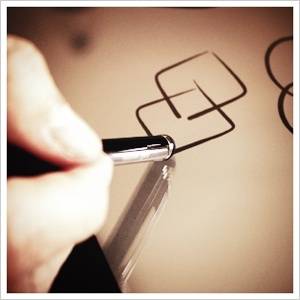
Griffin, TouchTec, AmazonBasics Styluses Review and Giveaway

Although I’ve had the iPad for more than a year, I haven’t tried using a stylus until only recently. A stylus is not necessary in order to make the most out of touch screen device (even Steve Jobs thought so); many people never even consider them, and their user experience remains excellent.

Nonetheless, the market is full of different kinds of styluses, and the recent popularity of drawing apps such as Paper and Draw Something has increased their sales dramatically. In their favor, writing and sketching does become easier with a stylus, you can use them even when you’re wearing gloves, and they can help keep the screen clean of finger smudges.

Today, I will be reviewing 3 kinds of styluses from three different companies. The first is the Griffin GC16040 stylus, the second is  the TouchTec II 7mm stylus pen, and the third is Amazon’s own AmazonBasics stylus. I will be checking how each stylus performs in different touch-screen tasks, how comfortable each stylus is to hold and use, and at the end will give you my own conclusion as to which of these three is the best, and which one would be the best buy for which task. In addition, we’ll be giving away 5 sets of all three styluses to five lucky readers (each winner will receive all 3 styluses)! Let’s see how they fared on my 1st generation iPad.

Introduction

The Griffin GC16040 ($9.99 on Amazon) is supposed to be easy to use whether you’re right handed or left, and whether you’re writing from left to right or from right to left. This is a 8mm stylus which comes in a variety of bright colors. It’s 11cm (4.3″) in length and weighs 15g (0.5 oz). It comes equipped with a silver clip for attaching it to a pocket or a strap, just like a regular pen. The Griffin has a matte finish, which makes it easy to grip without having it slide out of your hand.

griffin gc16040 stylus review

It comes in a relatively small cardboard packaging which is very easy to open, and includes a simple plastic tray on which the Griffin rests alone. Nothing else is included in the box. The Griffin’s packaging is just the right size, and includes useful facts about the stylus on its back.

griffin gc16040 stylus review

The TouchTec II ($14.95 on Amazon) is supposed to offer perfectly balanced weighting and precise and accurate note taking and sketching. This is a 7mm stylus shaped more like a regular pen. It’s 13.5cm in length (5.3″) and weighs 17g (0.6 oz), with a glossy, more slippery plastic finish. It comes with a regular pen clip and a small gimmick: when you twist the stylus to the right, a real ball point pen emerges from its non-stylus end. This means you can carry the TouchTec around just like a regular pen, and turn it around to use the stylus end whenever needed. It’s even possible to change the ink cartridge.

touchtec ii stylus review

The TouchTec II comes in a small and economical cardboard tube which looks somewhat unpromising. Upon opening this tube, though, you’ll find a fancy plastic case, complete with a lid and a velvet-like lining. The case is a great place to keep the stylus when carrying it around, and really made me feel like someone cares about me (and my stylus).

touchtec ii stylus review

Unfortunately, the way the case is packed leaves both ends very vulnerable, and indeed, this case seems to have been damaged on shipping; I received the case with a little hole in the plastic. Someone even placed some tape on it, in hopes I wouldn’t notice. While this in no way affects the stylus itself, this beautiful box might call for better packaging.

touchtec ii stylus review

The AmazonBasics ($10.88 on Amazon) is a 8mm stylus, and is very similar in shape and size to the Griffin. It’s 11cm (4.4″) in length, which is about the same as the Griffin, but weighs only 11g (0.38 oz), which is 4g less than the Griffin and a full 6g less than the TouchTec. It has a matte finish, which makes it easy to grip, and comes with a string attached to its back for tying onto things. If you’re wondering what the piece of plastic at the end of the string does, so did I. Apparently, it does nothing, at least as far as I could see. No standard clip on this one.

amazonbasics stylus review

The stylus comes in a huge Amazon “frustration free” package, which was indeed very easy to open, but seems like an unnecessary waste considering the only thing you’ll find in this huge box is this small stylus, which looks tiny in its surrounding, and a warranty booklet.

amazonbasics stylus review

All in all, these three styluses provide a nice range of different approaches to building a stylus. The Griffin and Amazon are very similar in general build, but differ significantly in the length of the rubber tip and overall weight, while the TouchTec is longer and heavier than both, with a narrower build and a different weight balance due to the pen.

amazonbasics stylus review

Writing with the styluses

Writing is possibly one of the first things people want to do with a stylus, but unfortunately, all three of the styluses I tried were not brilliant in this respect. As long as I was writing in a nice and slow pace, all of the styluses kept up, but once I got the hang of it and started writing in my usual pace, they all started stuttering. Nonetheless, one stylus stood out as the best of the bunch.

The Best: In the writing category, the Amazon stylus takes first place. It’s slightly longer rubber tip glided effortlessly on my iPad’s screen, and its light weight made it very easy to hold in several different writing positions. This stylus was the most accurate of the bunch, and kept up with my writing even when I started increasing the pace (up to a point). It was fairly comfortable on both LTR and RTL writing (although less so in RTL) The only real problem was its unexplained string, which kept getting in the way. Luckily, the string can be easily removed.

amazonbasics griffin touchtec stylus review

The Worst: In this category, the honor goes to the Griffin. The main reason for its poor performance is the unfortunate stickiness of its rubber tip. The Griffin’s rubber tip likes to latch on to the screen, and is pretty hard to glide across it. This makes it almost impossible to write in a normal pace. Granted, if you’re into writing very slowly, drawing your letters one by one, you can get some impressive results from the Griffin, but it’s uncomfortable for regular-paced writing.

The TouchTec fared fairly well for writing, it’s pen-like shape is very comfortable to hold and it’s thin rubber tip glides nicely on the surface. It was a bit slow to respond, so when I started writing faster, it had trouble keeping up.

Drawing with the styluses

Drawing, sketching and painting is the best part of having a stylus, and its accuracy is usually far superior to that of your finger. The case wasn’t much different here, and all three styluses did a nice job with drawing. Some were better than others, though.

amazonbasics griffin touchtec stylus review

The Best: The TouchTec stylus is the best artist of the bunch, and provides a very nice experience when drawing, painting and sketching. It’s relatively short tip provides just the right amount of resistance, and its weight is ideal for stabilizing your hand, while not crippling its movements. I’m no artist by any means, but I loved doodling with the TouchTec, and filling areas with paint is pretty effortless as well.

amazonbasics griffin touchtec stylus review

The Worst: Once again, this one goes to the Griffin. It’s too bad, because the Griffin is not a bad stylus, but its overly gripping tip makes it impossible to really enjoy working with it. You can definitely draw and sketch with it and even get some good results, but it’s simply harder to use than the other two, which makes it the worst one in this category.

The Amazon stylus did very well for drawing and sketching, but its light weight made it just a bit harder to use than the TouchTec.

Playing & Browsing with the styluses

If you already own a stylus, why not use it all the time and avoid smears and smudges from oily fingers? A stylus can be used for just about any task the doesn’t require more than one finger, and I found that it’s really handy for plain old browsing and typing, as well as casual games such as Solitaire and Mahjong.

In this category, there are no best and worst, as all three styluses performed really well. Scrolling, dragging, typing and clicking all worked very well with the styluses, and surprisingly, I found that my browsing and gaming experience on the iPad suddenly became even better. Using a stylus for browsing not only makes you more accurate, which makes clicking small links much easier, for example, it’s also faster; your finger is suddenly long and sharp, and the whole experience becomes, well, almost magical!

amazonbasics griffin touchtec stylus review

The TouchTec does have a slight advantage if you’re using it on a smartphone: it’s narrower tip makes it very easy to use it on a phone’s small keyboard with maximum precision. The other two, which have slightly wider tips, are somewhat less accurate on the small keyboard, but perform well on a tablet.

Which One Should You Buy?

Assuming $10-$15 is the price range you’re looking at, I would highly recommend buying the $14.95 TouchTec II stylus pen. It has a perfect balance between grip and glide, it’s responsive and easy to use, and owning it can really enhance your overall tablet experience. In this price range, the AmazonBasics stylus is also a solid buy. Unfortunately, at this point I would recommend skipping the Griffin.

Of course, if you’re willing to spend just a little bit more, there are other choices around such as the stylish Wacom Bamboo (around $29, depends on color) or the highly popular Cosmonaut ($25).

We’re giving away 5 sets of all three styluses so that you can judge them for yourselves. This review set is included in one of the five sets. Interested to be in the running to win these 3 styluses? Here’s how to join.

How do I win these styluses?

It’s simple, just follow the instructions. Please note that we’ve included a new entry method which utilises your MakeUseOf points.

Step 1: Fill in the giveaway form

Please fill in the form with your real name and email address so that we can get in touch if you are chosen as a winner. Click here if you can’t view the form.

The giveaway code required to activate the form is available from our Facebook page, our Twitter stream and Google+ page.

The giveaway is over. Here are the winners:

  • Gabriel Guimond-Prevost
  • Sergio Casas
  • Eric Clements
  • Paulette Redick
  • Katherine Myers

Congratulations! If you were selected as a winner, you would have received your license via email from jackson@makeuseof.com. If you require any assistance, please get in touch with jackson@makeuseof.com before Aug 7. Enquires beyond this date will not be entertained.

Step 2: Share!

You’re almost done. Now, all that’s left to do is to share the post!

Like it

Tweet it

+1 on Google

Alternative entry method: Use your points!

If you don’t have a Facebook, Twitter or Google+ account, you may exchange your MakeUseOf points for an entry into the competition. It’s really simple: create a MakeUseOf account, earn points and exchange your points for an entry! Learn more about our Game system and Rewards program.

Sorry, the competition is now over

This giveaway begins now and ends Friday, July 27th. The winners will be selected at random and informed via email.

Spread the word to your friends and have fun!

Interested in sponsoring a giveaway? We’d love to hear from you. Get in touch with us via the form at the bottom of this page.

Yaara Lancet

Yaara (@ylancet) is a freelance writer, tech blogger and chocolate lover, who's also a biologist and a full-time geek. Find her also at lnct.org.

The comments were closed because the article is more than 180 days old.

If you have any questions related to stuff mentioned in the article or need help with any computer issue, just ask it on MakeUseOf Answers.

Hide 113 Comments

  • Peter Gray July 16, 2012
    0 likes

    I’m glad to see we’re starting to see competition in the traditional “nib” category for capacitive styli.

    I currently have (and love) an AluPen, but am thinking of moving to an option with a smaller head. The build quality of the AluPen and the industrial design is lovely. I prefer it to the Cosmonaut: http://www.xtand.net/alupen.html

    | Like
    • Yaara Lancet July 18, 2012
      0 likes

      I heard great things about the AluPen!

      | Like
  • Azamat Bohed July 16, 2012
    0 likes

    Neil Lund asks on our G+ Page:
    Do you have a fine tip version in the works? Several people I’ve come across would like one with a fine point similar to the size of a ball point pen to be used with their favorite point of sales apps like Square etc. for customers signatures.?

    Is the one with the ball point pen tip actually an ink tip or a capacitive tip? All your pictures only show the round ball rubber tips in action.?

    | Like
    • Claire Curtis July 18, 2012
      0 likes

      I believe there is a technical reason that requires a capacitive tip to have a certain minimum diameter. So I don’t believe they CAN make them much less diameter. One reason I prefer the brush stylus is that a regular stylus feels like a crayon, whereas you don’t expect a brush to have a fine tip.

      | Like
    • Yaara Lancet July 18, 2012
      0 likes

      The TouchTec has two sides: a regular capacitive tip, and an actual ballpoint pen tip with ink. You can use it as a stylus or as a regular pen for writing. You can use the pen tip for other things, if you don’t mind getting ink on them.. :)

      | Like
      • Hoku Sarroca July 18, 2012
        0 likes

        I was thinking that the pen side would be like the wacom drawing pens with a point. :< ,

        | Like
  • Vanja Gorgiev July 16, 2012
    0 likes

    does this work on samsung galaxy s3?

    | Like
    • Hunter Watts July 16, 2012
      0 likes

      Yeah it will.

      | Like
    • Yaara Lancet July 18, 2012
      0 likes

      Yep!

      | Like
  • Navin Bajaj July 16, 2012
    0 likes

    Excellent review, Yaara! I want all of them :) Followed all the steps of participation, google +ed you with the same gmail account, now let’s see if I win them. Cheers!

    | Like
    • Yaara Lancet July 18, 2012
      0 likes

      Thanks! Good luck. :)

      | Like
  • Kirt July 16, 2012
    0 likes

    If you haven’t tried a Jot stylus from Adonit, you don’t know what a good stylus is yet.

    It is literally the only stylus (I’ve tried 10+ and own 6 different ones) that I don’t dislike for multiple reasons, and is by a wide margin the best writing, drawing, and painting experience I’ve had on my iPad.

    They are even making a bluetooth pressure sensitive version soon.

    | Like
    • Yaara Lancet July 18, 2012
      0 likes

      Cool, thanks! I haven’t tried it, but will remember the name.

      | Like
  • rshewmaker July 16, 2012
    0 likes

    I was looking for which one would be the most durable. I have gone through quite a few playing games and none seem to last more than a week. The tip will always blow out like a tire.

    | Like
    • Yaara Lancet July 18, 2012
      0 likes

      Wow, that’s impressive. :) That didn’t happen to me, but I didn’t really apply a lot of pressure on any of them.

      | Like
  • Hunter Watts July 16, 2012
    0 likes

    I want one of these so bad!

    | Like
  • Arrow Quiver July 17, 2012
    0 likes

    I get my styluses from trade shows.

    | Like
    • Colin Ryan July 19, 2012
      0 likes

      Me too

      | Like
  • Shakirah Faleh Lai July 17, 2012
    0 likes

    A great companion for tablet.

    | Like
  • Ron Morrow July 17, 2012
    0 likes

    Would be a fun option to use…rather than my always greasy/dirty/sticky fingers (thanks to my 2-year-old, I swear!)

    | Like
  • Ellen Odza July 17, 2012
    0 likes

    Lovely – I got used to a stylus when I had a PDA and still prefer them. I see that the TouchTec has a clip (like the Griffin) but it’s located at the stylus end (as opposed to the pen end). Does this get in the way at all when you flip it over to use the stylus?

    | Like
  • Neil July 17, 2012
    0 likes

    recently i bought a Samsung Galaxy tab 10.1, I am still new to tablet computing so I have a lot to learn about them, this particular tablet runs Android 3.2, I am eagerly awaiting the ics to be released before getti g to far into the inner workings of Android. I have read the above review, which was very informative, however I am unsure as to whether any of these stylus would be compatible with my tablet.

    | Like
    • Yaara Lancet July 21, 2012
      0 likes

      Hi Neil,

      Yes, all these styluses will be compatible with your Galaxy tab. Good luck!

      | Like
  • Austin Halsell July 17, 2012
    0 likes

    I sort of filled out the entry stuff and then spent points on accident :/ does this mean I have 2 entries or just one will be ignored?

    | Like
    • Yaara Lancet July 18, 2012
      0 likes

      That’s a good question! I’ll find out and get back to you on this. Even if it’s ignored, you can get your 25 points back in no time. :)

      | Like
    • Yaara Lancet July 19, 2012
      0 likes

      I checked, and you do have two entries in this case! Better chance of winning now. :)

      | Like
  • Ben July 17, 2012
    0 likes

    My only issue with the reviewed styli, their thick tips!

    | Like
    • Yaara Lancet July 18, 2012
      0 likes

      The TouchTec is not very thick, actually. They were all pretty accurate with small things too, even with the wide tip.

      | Like
  • Ben July 17, 2012
    0 likes

    Where is the giveaway code?

    | Like
  • Hoku Sarroca July 17, 2012
    0 likes

    oh would be a great bday gift for me!! XDDD , since I’m about to get a tablet, I was told that the fine print ones would scratch the tablet… please tell me it isn’t so…

    | Like
  • Steve Montgomery July 17, 2012
    0 likes

    Thanks, MakeUseOf!! I’m constantly on the lookout for a decent, long-wearing stylus to use with my iPad 2. I do quite a bit of art/graphics work on the iPad, and I tend to go through stylii quite quickly. I’ll give your top picks a try and see how they do.

    | Like
  • Marcello Piliego July 17, 2012
    0 likes

    Done! Thanks :)

    | Like
  • Abdelrahman Yehia July 17, 2012
    0 likes

    Hope I win :)

    | Like
  • Jorge Rodriguez July 18, 2012
    0 likes

    Ahh man this is going to be great and if i dont win ehh its fine ill get one on amazon the 14.95 ones is has a point which i prefer over the half sphere on the other ones

    | Like
  • Sean Ang July 18, 2012
    0 likes

    Currently I’ve a small, short and no brand stylus which is not very responsive. Maybe winning one of these would be a great replacement.

    | Like
  • Judith Schwalb July 18, 2012
    0 likes

    I use a stylus everytime I pickup my phone. My fingers just don’t fit the phone. I love the better control I get with a stylus. The cheap ones I bought seem to break easily. This one seems to be of good quality.

    | Like
  • yuvsch July 18, 2012
    0 likes

    nice

    | Like
  • Kevin Fegan July 18, 2012
    0 likes

    Another great giveaway…

    I have entered and I hope I win.

    Thanks!

    | Like
  • Dave Rimmer July 18, 2012
    0 likes

    Great review and giveaway count me in please and thanks.

    | Like
  • fizzbin88 July 18, 2012
    0 likes

    Thanks for the opportunity to win this unique product. Rgds…

    | Like
  • Doug Grammer July 18, 2012
    0 likes

    I know the guy doing this Stylus on Kickstarter! It is high cost but also very high quality!

    http://www.kickstarter.com/projects/1402474606/the-ilex-edc-pen-and-capacitive-touch-stylus/posts/266131?ref=activity

    Would you spend this much on a stylus?

    | Like
  • Rocking Rameez July 18, 2012
    0 likes

    this is really cool i need one

    | Like
  • Stephen Treger July 18, 2012
    0 likes

    How do these stylus perform when a screen protector, such as Zagg is on? Any variances?

    | Like
    • Yaara Lancet July 18, 2012
      0 likes

      I don’t have a screen protector on my iPad or phone, so I can’t really say. Sorry!

      | Like
  • Claire Curtis July 18, 2012
    0 likes

    I have a Targus stylus and a nomadbrush. The nomadbrush is a soft paintbush with capacitive fibers instead of hair, and it is absolutely fantastic for painting on the iPad. I have an artist friend who is able to make very good professional paintings with this brush and the ArtRage app.
    Might be worth reviewing some of these alternative sylii.

    | Like
  • Rich July 18, 2012
    0 likes

    Would love to try one with my phone.

    | Like
  • Darshell July 18, 2012
    0 likes

    Thanks for the reviews! Would love to win them since everyone says you have to try out a lot to figure what is good for you. I recently ordered the Hand Stylus and am awaiting delivery.

    | Like
  • Karen Ang July 18, 2012
    0 likes

    Darn. I need more points to enter this

    | Like
  • delacruzjay July 18, 2012
    0 likes

    Just ordered A Boxwave but would like a spare :)

    | Like
  • bob mueller July 18, 2012
    0 likes

    i need it!

    | Like
  • darkprop July 18, 2012
    0 likes

    hope i win :P

    | Like
  • J Wong July 18, 2012
    0 likes

    It’s a good product

    | Like
  • Tom July 18, 2012
    0 likes

    I have never used a styluses, but can see where it would be useful and fun. Would be great to try them out.

    | Like
  • jamila July 18, 2012
    0 likes

    I really enjoy reading MakeUseOf. Its very Informative & interesting.

    | Like
  • Denis Paley July 18, 2012
    0 likes

    I wouldn’t mind winning one of these,but I like to win most anything.:)

    | Like
  • Marv July 18, 2012
    0 likes

    Nothing like using an iPad with a stylus.

    | Like
  • Phil Tobin July 18, 2012
    0 likes

    I’m a UK resident and always thought Make Use Of was a UK operation, seeing as how the address of its emails is Colchester, Essex.

    Yet time and again the MUO material I’m emailed, such as this stylus article, is priced in US dollars. There have also been times when MUO has referred to products that aren’t even available in the UK.

    It would be nice to be assured that this latest MUO prize draw is open not merely to US residents, but everyone else in other countries, too?

    | Like
    • Tina July 18, 2012
      0 likes

      Phil,

      This is to confirm that our Giveaways are open worldwide.

      MakeUseOf is based in the UK. However, prizes and prices are often provided by companies located in the US. Also, the majority of our readers are from the US. Hence we go with the US Dollar price tag.

      | Like
      • Phil Tobin July 18, 2012
        0 likes

        Thanks, Tina! MUO is an excellent resource and one whose .pdf reference documents I’ve frequently referred to friends and colleagues by way of information and help re a wide variety of computing-related matters. Good to know that UK users aren’t excluded from anything, because it’s so often the case that some sites are highly US-centric. (And to think, if there hadn’t been an argument over tea, the USA would still be our colony. . . )

        | Like
  • Nora Martinez July 18, 2012
    0 likes

    I have the Amazon basic stylus and like it quite a bit, but am really puzzled by the plastic thingy. There’s actually a rather active discussion on Amazon about this thing (we’re calling it a dongle). Nobody know what it’s for, and Amazon has never commented on it.

    | Like
  • Chris Silvetti July 18, 2012
    0 likes

    There’s been a review of styluis’s for a while now, *Good Job* !

    | Like
  • Chris Silvetti July 18, 2012
    0 likes

    Good review. Very helpful!

    | Like
  • Mi chael July 18, 2012
    0 likes

    Would like to try a stylus, don’t use one now but I have on some programs and it seems to be very easy. I would love to try it out.

    | Like
  • Michael July 18, 2012
    0 likes

    I would love to try a stylus, it seems pretty easy but you have to have the program to use it with. I have used a stylus before and with the right program it makes life easier.

    | Like
  • Robin July 18, 2012
    0 likes

    May have missed the boat on this one. I use and highly recommend a “Jot Pro” from Adonit. It was more money but the fine point riding on a clear disc makes the writing and drawing much easier than the rubber tips.

    | Like
  • carli July 18, 2012
    0 likes

    I have tried alot of stylus pens and they all seem to not perform the way its promised on package when bought. Maybe, and I hope this one is different.

    | Like
  • Darryl Ho July 18, 2012
    0 likes

    Just what I was looking for.

    | Like
  • Ed Lucas July 18, 2012
    0 likes

    Point – access word.

    | Like
  • Dee Wheat July 18, 2012
    0 likes

    I saw one somewhere….don’t ask where because I have no idea and could kick myself for not getting it then….that is rubber tipped, of course, but is shaped like a pencil on the end.
    i have a touchscreen Mp3 player that it would be perfect for, and have not been able to find one since the one I saw and passed up.

    | Like
  • Marie July 18, 2012
    0 likes

    Is there an iPad stylus?
    And.. am I the only one worried that I would use the ballpoint end on the iPad?!

    | Like
    • Yaara Lancet July 19, 2012
      0 likes

      All of these work great on the iPad. And I don’t think it would be so bad if you use the wrong end on the iPad for a second, it’s not like you have to apply any pressure. :)

      | Like
  • John Lehmann July 18, 2012
    0 likes

    I love the TouchTec, the also have a slimmer one out now. I use it a lot to take notes in meetings, then transcribe them into documents.

    | Like
  • Vern Hoffman July 18, 2012
    0 likes

    Styli are the way to go.

    | Like
  • Wendy Drew July 18, 2012
    0 likes

    I have been interested in the stylus for some time, but have never actually gone and bought one. Maybe it is time, as I just purchased the S3. :o)

    | Like
  • Frank Mohnhaupt July 18, 2012
    0 likes

    Hope to win.. :-)

    Best wishes from

    http://webdesign.freakinthecage.de

    | Like
  • Barry Nestor July 18, 2012
    0 likes

    My sister is mentally retarded and has a Samsung tablet which she loves…one of these styluses would be great for her as she has difficulty manipulating the touch screen in the regular fashion…

    | Like
  • James Mathews July 18, 2012
    0 likes

    MAKEUSEOF is a great resource

    | Like
  • Ravuama July 18, 2012
    0 likes

    this is great, now i have to get a tablet….

    | Like
  • Carla Wilson July 19, 2012
    0 likes

    I had never thought about using one until reading your review. Thanks!

    | Like
  • Hondro July 19, 2012
    0 likes

    Nice givaway.
    Please count me in.
    Thanks

    | Like
  • LAHarry8 July 19, 2012
    0 likes

    Please count me for the giveaway contest.
    My tweet: https://twitter.com/LAHarry8/status/225789912811708416

    Thanks.

    | Like
  • Karl Joseph Ku July 19, 2012
    0 likes

    I was told this is great for iPhone users. I wonder if it would work on Galaxy Pocket?

    | Like
    • Yaara Lancet July 19, 2012
      0 likes

      Yes, these should work fine on the Galaxy Pocket.

      | Like
  • Nguyen Tran July 19, 2012
    0 likes

    It’s a great give away, I love it :)

    | Like
  • Sai Krishna July 19, 2012
    0 likes

    nice giveaway. Would like to get this one.

    | Like
  • Colin Ryan July 19, 2012
    0 likes

    Could be useful

    | Like
  • Mette Halkier July 19, 2012
    0 likes

    Hope I can win in Denmark as well!?

    | Like
    • Yaara Lancet July 19, 2012
      0 likes

      Of course, everyone’s in!

      | Like
  • Chris Ralph July 19, 2012
    0 likes

    I bought the Kensington Virtuoso. It is both a pen and stylus. It has a really nice weight for use, both as a stylus and pen. I found it works well with both my Android tablet and iPad3. My wife was so impressed, she asked me to get her one too. :)
    See a review here: http://www.youtube.com/watch?v=ZUXSh31E7oY

    | Like
  • Eric Osei July 19, 2012
    0 likes

    I’ve lost mine, so that’s good replace :)

    | Like
  • Ian Sutton July 19, 2012
    0 likes

    Excellent review, I want any one of them

    | Like
  • Chris R July 20, 2012
    0 likes

    Great review and information!

    For those wondering or curious to what the plastic piece is at the end of the string….

    I believe it’s simply to aid in untying the string when you “loop” (or tether) it in order to attach it to something (ie: your tablet, phone, briefcase, purse, etc.). If it’s long enough to do, that is.

    You should be able to pull that plastic piece in order to loosen it or grasp it easier to untie….instead of trying to use your fingernails nails to pry the string loose.

    Many things used to have those attached some time ago. You could also buy more “fancy” ones for that added touch such as chains and add charms. The old pagers and most cell phones had a hole on the corner where one could thread through a tether string like that….cameras usually have one (especially the small cameras)…some cell phones still have the hole in order to use a tether string such as what’s on the stylus’. Many times those plastic pieces slide to shorten, or tighten, the string to make it more secure.

    Anyhow…would be great to win and good luck to all that enter!

    | Like
    • Yaara Lancet July 20, 2012
      0 likes

      Thanks for clarifying that, Chris!

      I was aware of what the string is generally for, and I remember those holes in the corners every phone used to have. In fact, I was surprised when I realized I have nothing to tie this stylus to, nothing has these holes anymore! But I had no idea you could use the plastic end to loosen up the knots. Seems like most people are not aware of that, might be because there’s nothing to tie these strings to anymore…

      | Like
  • terry July 20, 2012
    0 likes

    stylus is just what I want for noteshelf, got to be better than my finger !!!

    | Like
  • Neville July 20, 2012
    0 likes

    Luv makeuseOf. Great reviews… which I can actually use!
    Often find myself making recommendations to friends to check out MUO.

    Here’s hoping that South Africa will also feature on the winners list.

    | Like
  • Hasitha Chaturanga July 20, 2012
    0 likes

    that seems pretty accurate

    | Like
  • Judith Rogow July 20, 2012
    0 likes

    Love the dongle cord thingy

    | Like
  • DonnaB July 21, 2012
    0 likes

    More and more great giveaways, thanks!

    | Like
  • Omstavan Samant July 23, 2012
    0 likes

    What is the working principle of these Styluses? I knew capacitive screens detect the ions in our blood but how do these work?

    | Like
    • Yaara Lancet July 23, 2012
      0 likes

      Without getting too technical, these styluses have a conductive tip, which turn them into sort of an extension of your fingers.

      | Like
  • Hani Abdel Halim July 23, 2012
    0 likes

    You may add ipad 3 as a giveaway with this ;-)

    | Like
    • Yaara Lancet July 23, 2012
      0 likes

      Already had one!

      | Like
  • Larry J July 24, 2012
    0 likes

    Sometimes the stylus responds better than a greasy finger. Great when reading tablet during lunch!

    | Like
  • keeda July 24, 2012
    0 likes

    I use Wacom Bamboo and I love it! But I do wish if I could have something with a finer tip.

    | Like
  • tarzan2001 July 24, 2012
    0 likes

    My sister has one with the rounder tip for her iPad, and when I used it, I didn’t find it to be quite as accurate as my finger.

    | Like
  • Josh Wein July 25, 2012
    0 likes

    I hope I win!!

    | Like
  • Bulilit Toralballa July 26, 2012
    0 likes

    Hope I win. Fingers crossed.

    | Like
  • Pedro Oliva July 27, 2012
    0 likes

    its so usefull, i wanna win it! :)

    | Like
  • Giuseppe July 28, 2012
    0 likes

    point

    | Like
  • Karl Joseph Ku August 3, 2012
    0 likes

    we bought a cheap version for .70 cents ^_^ but this one looks way better.

    | Like
  • Rizwan Saudagar August 4, 2012
    0 likes

    Congo to all winners..

    | Like