Get Great Windows 8 Features Without the Upgrade [Opinion]

windows 8 features

Windows 8 was officially unleashed on the world on 26th October; I’m going to assume you either attended or held your own mini launch party, because that’s what everyone does every time a new version of Windows is released.

However, we understand there are some of you who can’t afford the “upgrade”, so here are 5 tips to get the best features of Windows 8 on your shoddy old Windows 7 machine, right now.

Minimum Requirement: A sense of humor…

The Essential TouchScreen Look and Feel

As you’ve probably heard, Windows 8 introduces 63 new gesture based controls for every system function from adjusting the brightness to sending an email to your aunt (not to be confused with tweeting a picture of your cat – these are very similar gestures).

So, to get that essential Windows 8 look, simply scrunch up a small piece of greaseproof paper, dip in the leftover bacon fat from your morning fry up, and follow the handy chart below to emulate the most common gesture marks.

windows 8 features

Now when visitors see your screen, they’ll instantly exclaim “Oh! You’re running Windows 8 too!”, and you needn’t feel left out. Make sure they don’t actually try to touch the screen though, obviously.

features of windows 8

“Simple” Interface

Love the look of Metro, sorry – Modern UI – or whatever it’s called now? This one’s easy. If you have an old AOL CD lying from 1996, simply install it and do all your browsing from the kids portal; no one will ever know the difference.

features of windows 8

If you don’t have an AOL CD handy, just follow these easy steps:

  • Right click on your desktop and enable desktop “gadgets”. Drag as many as you can onto the desktop until you have a screen full of pointless crap you’ll never need (but hey, it’s dynamic!)
  • Set the background to a solid color
  • Use a high-contrast color scheme

features of windows 8

Hey presto! I bet you’re thinking “How did you ever know the date before without it being in a large sized font?” – I know, that discreet and “space saving” date indicator in the taskbar just wasn’t enough, was it? Thanks, Microsoft.

‘Un-folderize’ Your Start Menu

Is your start menu currently organised into an old style folder-style system? Yeah - get rid of that. Just move everything up to one level, and you’ll be able to browse all your applications in that new Windows 8 style in no time.

windows 8 features preview

Kill that pesky Start menu

One of the best features of Windows 8 is arguably the removal of the start menu, freeing up valuable taskbar space for all those desktop apps you’ll have running. StartKiller does the same in Windows 7 though – why bother upgrading!

windows 8 features preview

Limit yourself to Android apps only – with BlueStacks

When consumers purchase a Windows 8 RT tablet, they’ll have a pleasant surprise in store for them – in that they’ll only being able to run apps from the Windows 8 Store! You can experience this pleasure too by installing BlueStacks and then creating a limited user account with only access to that software.  Say goodbye to all your old Windows software; and make sure to mash the keys when setting the password on the Admin account just so you aren’t tempted to go back and use any of that “productivity” software you used to own. Hey, ANGRY BIRDS!

windows 8 features preview

Enable a Lock Screen

Hasn’t it always annoyed you that your PC just goes straight to your desktop when you turn it on? It doesn’t even show a big picture first, or a redundant clock and calendar. Windows 8 fixes that by introducing a great new lock-screen, which also enables you to practice the drag-up-from-bottom gesture before you can type in a password.

While you can’t actually get the gesture features (see earlier advice on using bacon fat), you can set your screensaver to lock your PC and require a password every 15 minutes, which will achieve the same kind of experience. It’s ok – you can thank me later.

Turn your Mouse 90º

Windows 8 does away with the traditional up and down mouse wheel scrolling, and instead makes things scroll horizontally. Whilst you can’t easily change your Windows 7 apps to do this, you can get the same perpendicular movement feel by simply turning your mouse 90º (either left or right is fine). Now when you scroll left and right, your application will naturally move up up and down! Any Windows 8 users who comes to visit will pick it up immediately and feel right at home on your desktop.

windows 8 features

What other tips do you have for making your Windows 7 desktop behave like Windows 8? Do share your awesome tips in the comments!

In case it wasn’t obvious – I’m just kidding guys – please don’t get so upset in the comments and start screaming bloody Mac-fanboy murder. I use an Android now anyway.

Image Credit: Twitter/Katztsu


MakeUseOf Recommends

More articles about:

59 Comments

James Bruce

James is a keen gamer with a passion for the iPad, and records Technophilia - an awesome but somewhat NSFW technology podcast - weekly with Justin and Dave.

The comments were closed because the article is more than 180 days old.

If you have any questions related to stuff mentioned in the article or need help with any computer issue, just ask it on MakeUseOf Answers.

Hide 59 Comments

  • Indronil Mondal November 4, 2012
    0 likes

    hahaha thats funny

    | Like
  • Arron Walker November 4, 2012
    0 likes

    I was actually looking forward to an informative article :( I got a chuckle though, so I guess that will have to do

    | Like
  • Adam Campbell November 4, 2012
    0 likes

    great article

    | Like
  • RG November 4, 2012
    0 likes

    I disabled adblock on makeuseof for this??

    Just kidding, nice one. My AOL CD hasn’t been recycled yet ;)

    | Like
  • Lisa Santika Onggrid November 4, 2012
    0 likes

    Hahahaha.
    Now I know another creative use of BlueStack
    By the way, did you really make the faux touchscreen?

    | Like
    • James Bruce November 5, 2012
      0 likes

      Lol, no – that was ‘shopped!

      | Like
      • Lisa Santika Onggrid November 6, 2012
        0 likes

        Oh, too bad.
        You should so it one day. Maybe April Mop.

        | Like
  • Keefe Kingston November 4, 2012
    0 likes

    What an awesome set of suggestions! I’ll get to it implementing them on my laptop! XD Gotta train for the day when I’m forced to upgrade to Windows 8. Which fortunately, shouldn’t be for at least 5 more years.

    | Like
  • Yash Desai November 4, 2012
    0 likes

    this is fantastic

    | Like
  • Yash Desai November 4, 2012
    0 likes

    i was thinking what features? lol

    | Like
  • Félix S. De Jesús November 4, 2012
    0 likes

    OKKK… even AOL?? LOL!!

    | Like
  • Temmuz Onur Deniz Güzel November 4, 2012
    0 likes

    Are you kidding me?!? Oh.. ok.

    | Like
  • Paul Harris November 4, 2012
    0 likes

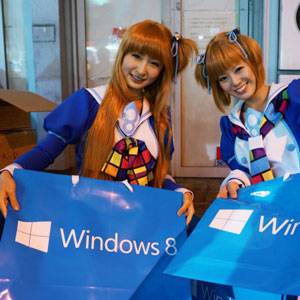
    Bet those two red-heads in the image are like the red-head that pushes Wendys burgers, but never eats one ; they probably don’t use Win 8 either.

    | Like
    • James Bruce November 5, 2012
      0 likes

      They’re not actual redheads either; they’re Japanese, I believe taken in Akihabara, and pure Japanese will only ever have black hair ;)

      Wait – is having red hair a requirement for working at Wendys? Disclaimer: I’m a Brit, this is a genuine question.

      | Like
  • Richard Steven Hack November 4, 2012
    0 likes

    I’ve never understood the whole “gestures” thing. I don’t use them anywhere. It’s never made sense to me that one would want the system to react to whatever random movement you might have accidentally made. My guess is that people who use gestures spend half their time recovering their screens when they screw them up.

    My opinion of Windows 8 (disclosure: which I admit to not having tried yet) is that the interface is likely to be confusing to a LOT of people in corporate environments who (as someone on Slashdot just said yet AGAIN to justify never changing to Linux) HATE CHANGE, and therefore the corps will be REALLY slow to upgrade. Home users who buy new PCs loaded with 8 won’t be happy either and will probably downgrade to Windows 7 for as long as they can until Microsoft disables the ability.

    All of this will end with Microsoft releasing a (allegedly discontinued) “service pack” which allows anyone to implement the “Classic” interface with a few clicks. Thus admitting defeat without actually ever saying so, in classic Microsoft PR style.

    But it won’t stop 8 from being adopted better than Vista was. Vista was a dog because basic things like drivers were ignored. But 8 will not be as rapidly adopted as 7 was. (And yes, there are still people out there screaming to keep XP – which is sad because that OS was an utter nightmare of unreliability, insecurity, and stupidity.)

    | Like
    • James Bruce November 5, 2012
      0 likes

      I’m currently reviewing the surface and I gotta say the most annoying this about gestures is the inconcistency – the touch gestures aren’t the same as the mouse ones (like you can’t drag from the corner for a start menu, for instance). Just, weird.

      | Like
      • Rajaa Chowdhury November 6, 2012
        0 likes

        So James,

        When is the Surface featuring as a Giveaway. :)

        | Like
        • Muo TechGuy November 6, 2012
          0 likes

          As soon as I finish the write-up ;)

          | Like
    • Doc November 10, 2012
      0 likes

      Even Linux isn’t immune to change: Recent versions of Ubuntu have put the window control buttons on the left, Mac-style, and droves of users have revolted over the Unity “Metro-like” touch interface (I won’t use Ubuntu for those reasons; if I ever install Linux again, it will be Mint or Cinnamon, two of the better Ubuntu-based distros).

      BTW, gestures are essential on a touch-based interface; ask to try out a friend’s iOS or Android device to see them in action. Since most Windows 8 machines will have a mouse and keyboard, Microsoft seems to be jumping the gun; it only makes sense on Windows RT and their Surface tablets (and their competitors)…and those devices don’t make sense anyway….

      | Like
  • Debarshi Bhattacharjee November 4, 2012
    0 likes

    Now thats funny..
    However Windows 8,is not that bad…but not awesome too…

    | Like
  • Jon Smith November 5, 2012
    0 likes

    yay someone else who shares my disdain for the Metro or WIndows 8

    | Like
  • Dan Worwood November 5, 2012
    0 likes

    Hahahaha, I got a good laugh

    | Like
  • Rajaa Chowdhury November 5, 2012
    0 likes

    Hmmm…………. I’d rather spend the $30 . :) :P

    | Like
  • Zhong Jiang November 5, 2012
    0 likes

    Well, you couldn’t add the hardware improvements that’s been configured exclusively in Windows 8, such as improving boot time, more security measures..etc. The article has a good point on the design of the UI, since it shows differences on Microsoft’s previous products which inhibits the same design for years. Not saying that it’s not usable for a consumer but this adoption is weird.

    | Like
  • renato November 5, 2012
    0 likes

    That’s *genius* XD

    | Like
  • Raghav Gupta November 5, 2012
    0 likes

    haha nice..
    enjoyed reading this…:D

    | Like
  • Ahmed Khalil November 5, 2012
    0 likes

    i do not know why i suddenly remember MAC operating system when i saw the screen shots of Windows 8 at the above article

    | Like
  • Ahmed Khalil November 5, 2012
    0 likes

    i do not know why i suddenly remember MAC operating system when i saw the screen shots of Windows 8 at the above article

    | Like
  • Chris Hoffman November 5, 2012
    0 likes

    I wouldn’t be surprised if Bluestacks were a better option than using the Windows Store. (Bluestacks certainly has more apps.)

    | Like
    • Rajaa Chowdhury November 6, 2012
      0 likes

      Interesting idea. :D

      | Like
  • Roystan Ang November 5, 2012
    0 likes

    the gadget idea was good… haha

    | Like
  • zamira November 5, 2012
    0 likes

    Hahaha, great article. And thanks for sharing.
    I guess you guys may also interested in MiniTool Windows 8 Disk Partition Tool, it’s free.

    | Like
  • Boni Oloff November 5, 2012
    0 likes

    When i see this article, i think this is a really Windows 8 Like Customization Killer. Haha..
    I really like the touchscreen by the way.

    | Like
  • Douglas Mutay November 5, 2012
    0 likes

    Hahahaha! you got me!

    | Like
  • Ghani Ggani November 5, 2012
    0 likes

    it’s nice if u re bored

    | Like
  • Yiz Borol November 5, 2012
    0 likes

    I was so confused, these aren’t good tips. then towards the end you got really loopy and I realized it was a joke.

    | Like
    • Muo TechGuy November 6, 2012
      0 likes

      Wait, smearing bacon fat on your screen didn’t give it away?!

      | Like
      • Yiz Borol November 6, 2012
        0 likes

        honestly I completely didn’t understand what was going on there so just skipped it…

        | Like
  • josemon maliakal November 5, 2012
    0 likes

    he…he

    | Like
  • Anomaly November 5, 2012
    0 likes

    Great article. I’m detecting by your tone that you think Windows 8 is a total joke? I couldn’t agree more.

    The whole point of Metro, or what ever they call it now, is to do away with regular Windows and have everybody use the mobile version of Windows and be locked into all the restrictions that go with it. Micro crap would love nothing more than to pull an Apple and get away with it. They obviously couldn’t do this in one shot so windows 8 is step one in the process.

    Windows 7 will be my last version of Windows unless they pull their heads out of their asses

    | Like
    • Noemi Romero November 5, 2012
      0 likes

      kudos on that…

      | Like
  • mmaduekwe stanley November 5, 2012
    0 likes

    the whole gesture stuff is a nice innovation.

    | Like
  • Dhegreat Vinayagam November 5, 2012
    0 likes

    Oh no !!! Wasted Rs.2000 and using windows 8 :( But its okay. i will go back to windows 7 and i will go with these steps .

    | Like
  • raymond mcnatt November 5, 2012
    0 likes

    lol

    | Like
  • Blake Andreasen November 6, 2012
    0 likes

    The biggest flaw with previous versions of Windows is the convenient Start button and list of open programs. Windows 8 fixes this by hidding the Start button and settings off to the sides of the screen ( which is usful if you hate multi-tasking), but a similar workaround in Windows 7 is available. Right-click your Taskbar and select Properties. Move the task bar the left side of the screen and set to auto-hide. That way it will only annoyingly pop-up when you dont need it. Now your screen will have more blank space available because those useful icons will now be hidding..

    | Like
  • Boni Oloff November 6, 2012
    0 likes

    I think i am not going to make my Windows 7 to be look like Windows 9. There is nothing interesting about Windows 8 in my head.

    | Like
  • Raj Sarkar November 6, 2012
    0 likes

    EPIC funny articles it was! :D

    | Like
  • Megan Pettrey-Smith November 6, 2012
    0 likes

    I almost thought to self – Who in the hell still has a AOL CD around?! LOL

    | Like
  • Timothy Liem November 7, 2012
    0 likes

    hahaha.. genius is genius. won’t leave Seven behind for Eight. Gonna move completely to Linux world..

    | Like
  • Ihtisham ul haq haq November 8, 2012
    0 likes

    Yes it does require a sense of humor..:D

    | Like
  • Yudono Ra November 8, 2012
    0 likes

    nice feel of the brand new interface, but i don’t think it will be enough to make me shift to win 8 tough :). i still love my win 7

    | Like
  • Eric Gay November 8, 2012
    0 likes

    Love the use of an AOL CD, but I’ll have to deal with my kitchen table rocking while I load from it.

    | Like
  • Terafall November 10, 2012
    0 likes

    I thought something like Omnimo will be on the list

    | Like
    • James Bruce November 10, 2012
      0 likes

      Intersting find. If this was a legit article on how to get Windows 8 feature , that would totally be on the list.

      | Like
  • Somaiya Ebrahim November 10, 2012
    0 likes

    funny, but the suggestions are good. i like the windows 8 interface maybe i will ‘unfolderise’ and ‘kill’ that pesky start menu.. :)

    | Like
  • Frank Zedmore December 10, 2012
    0 likes

    Fun article!

    | Like
  • Giggity Goebbels December 12, 2012
    0 likes

    I am now convinced to upgrade lol

    | Like
  • Hunbuhbhuygb Ygygbgybygb December 12, 2012
    0 likes

    I rather get the cheap windows 8 and not torture myself

    | Like
  • Alan Craig February 28, 2013
    0 likes

    I just have 4 things to say to this.
    First) Mmmmmmmm bacon fat
    Second) I kind of like the cheesy AOL layout for kids and wish I could find something a little like that for our 2 year old
    Third) I like the look of the screen covered in gadgets because it’s full of bright colors and bright colors hold my attention
    Fourth) Thanks for a funny article James :)

    | Like