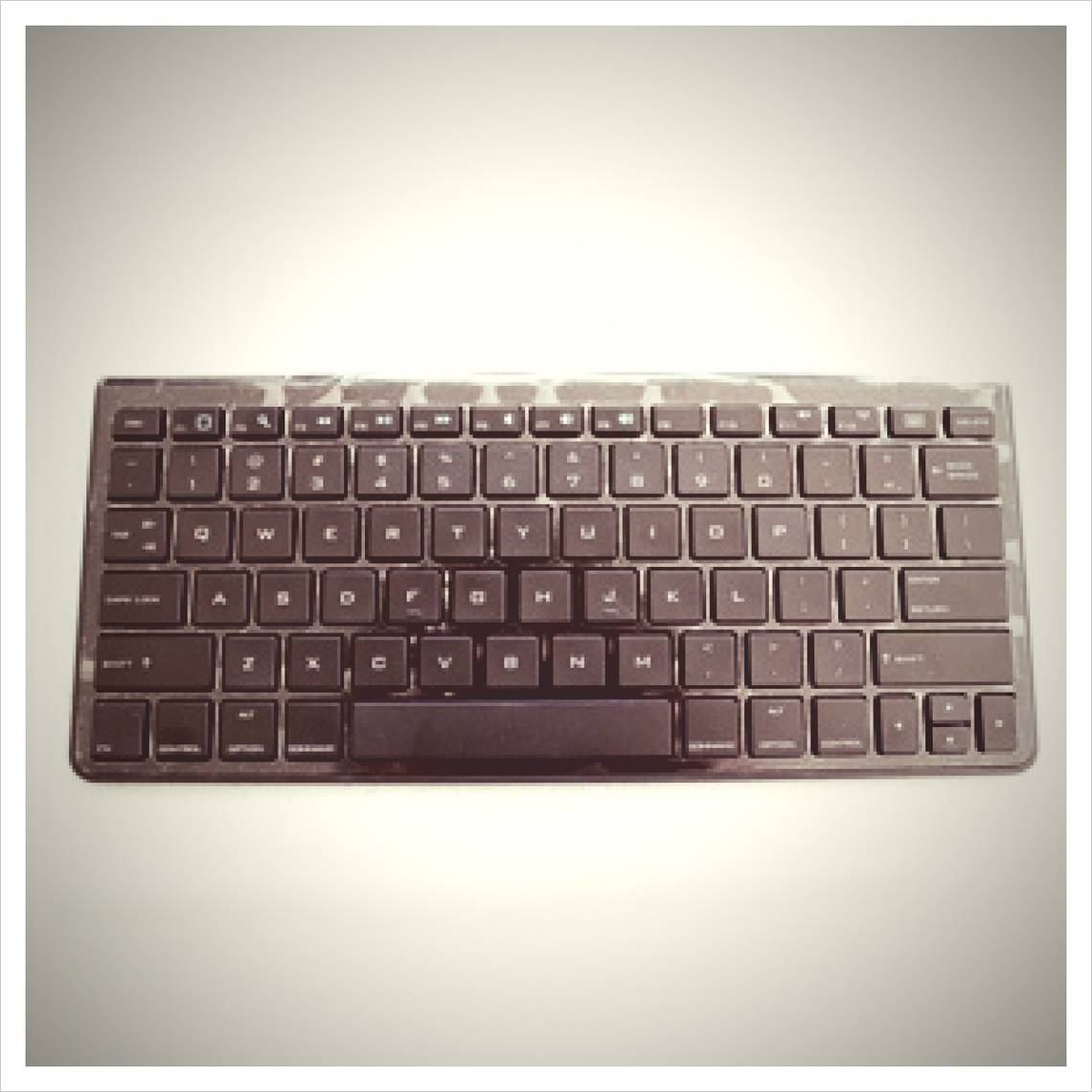
AmazonBasics Bluetooth Keyboard Review and Giveaway

Wireless and Bluetooth keyboards have been around for a while, and many of us have been using them for years on our old desktop computers. The recent booming popularity of tablets brought on a new kind of wireless keyboard: lightweight, compact and very portable. These keyboards, which usually connect using Bluetooth, are made especially for tablets (or even a specific kind of tablet, as we would soon see), and are designed to turn your tablet into a mini laptop on the go. While these keyboards are a popular companion for tablets, they can generally be paired with any device which has Bluetooth connectivity, including phones, laptops, and desktop computers.

Today, I will be reviewing the AmazonBasics Bluetooth Keyboard for iPad/iPhone, which is Amazon’s own take on the Bluetooth keyboard niche. This keyboard is designed especially for iOS devices, with matching shortcut keys and functionalities, and is designed to turn your iPad, or even your iPhone, into a more productive instrument on the go. This keyboard currently sells for $45 on Amazon, and we bought this unit ourselves in order to provide an impartial review. It gets even better, of course: we are giving this unit away to one lucky reader. Read on to find out exactly how this keyboard fared and how you can win it!

Introducing the AmazonBasics Bluetooth Keyboard

bluetooth keyboard review

As mentioned earlier, the Bluetooth keyboard market is currently a huge one, with options ranging from a $7 mini keyboard  to a whopping $185 folding keyboard. In the AmazonBasics’ price range of around $50, there are many options to explore, and citing them all here would surely take too long.

Nevertheless, when looking at Bluetooth keyboards that are either made for iOS devices or can easily pair with iOS devices, some of the prominent choices are this $70 Logitech Tablet Keyboard for iPad, which comes with its own stand that can double as a carrying case for the keyboard, or the $90 Microsoft Bluetooth Mobile Keyboard 6000, which offers a curved design and comes with a detached numpad for those who can’t do without.

In the AmazonBasics Bluetooth Keyboard’s exact price and accessory range, you can also find the $46 Targus Bluetooth Keyboard for iPad, (RRP $63.99) which, similar to the AmazonBasics, comes with no accessories, but is significantly heavier. In fact, at 9.6 ounces (275 g) the AmazonBasics’s official weight is the lowest I could find out there, and when I weighed it myself at home, it surprised me even further by coming in at only 235 g, which is approximately 8.2 ounces.

To sum it up, the AmazonBasics Bluetooth Keyboard is a very lightweight and portable option and comes with no additional gimmicks, accessories or extras. But is it really easier to use than the iPad’s on-screen keyboard? Will it really increase your productivity on the go? Let’s find out.

What’s In The Box?

bluetooth keyboard review

The AmazonBasics Bluetooth Keyboard comes in the famous Amazon “frustration free” packaging. The box truly is very easy to open, and seems like it would protect the travelling keyboard rather well. In the box, you’ll find the keyboard itself, a pack of two AAA batteries, which you’ll need to get the keyboard going, and a small instruction booklet. For the purposes of the review I used my own rechargeable batteries, so the lucky winner of this keyboard also gets a brand new set of batteries.

amazon bluetooth keyboard review

The keyboard comes in a plastic bag, and is also wrapped in plastic all around the keys to protects it from dust and dirt. This wrapping is also intact, so if the keyboard’s surface seems uneven and shinny in photos, this is the reason.

The AmazonBasics Bluetooth Keyboard’s Design

The first thing you’ll notice about the AmazonBasics Bluetooth Keyboard as you take it out of the box, is how light and thin it is. It’s very easy to hold and will comfortably fit pretty much anywhere you want to put it, without adding any extra weight.

amazon bluetooth keyboard review

The keyboard is designed for maximum comfort no matter where you use it, and it actually works. The top part of the keyboard’s back is slightly thicker, which means it doesn’t lie flat on a surface, but has a slight angle to it. This little addition makes it much more convenient to use. In fact, the angle makes it even better than my own laptop’s keyboard, which simply lies flat under my fingers. The back of the keyboard also includes 5 rubber strips, which prevent the keyboard from sliding while you use it, the battery compartment, and two button which we’ll get to shortly.

amazonbasics bluetooth keyboard review

The keyboard itself is slightly on the small side, which takes a bit of getting used to when actually typing, but it’s surprisingly quiet. While my laptop’s keyboard makes a very distinctive and quite loud typing noise when I use it, the AmazonBasics Bluetooth Keyboard is almost inaudible. I can type away quite quickly, and not be heard on the other side of the room.

The keyboard’s layout is pretty usual, but includes both Control and Command keys. It also includes arrow keys and a delete button, but no other function buttons such as home, page up, page down, etc. It does contain all F buttons, which double as media controllers, battery and connection indicators, and special shortcut keys for iOS devices.

amazonbasics bluetooth keyboard review

F1 doubles as a Home button, which emulates the iPad’s own hardware button, and F2 is also a Search button which brings up the iOS search window. There is also a designated On-Screen Keyboard button, which brings up the iPad’s own keyboard, in case you need to use them simultaneously for some reason.

Connecting The Keyboard

Connecting the keyboard to your iOS device is very easy, and takes only a few seconds. The first thing you’ll have to do, of course, is turn the keyboard over and insert the batteries. Next to the battery compartment, you’ll find two buttons: On/Off and Connect. When the batteries are in, turn the keyboard on, but don’t press the Connect button just yet.

amazonbasics bluetooth keyboard review

Now get your iPad or iPhone, and in Settings, tap on General –> Bluetooth, and turn Bluetooth on. Both iPad and keyboard are now ready to connect.

amazonbasics bluetooth keyboard review

Now it’s time to press the Connect button at the bottom of the keyboard. This makes the keyboard discoverable for 3 minutes. The keyboard has a handy connection indicator on its F12 key, with a blue led that keeps flashing as long as it’s discoverable.

amazonbasics bluetooth keyboard review

Once “Bluetooth Keyboard” appears on your iPad, tap it to connect. In order to complete the connection, enter the PIN code that pops up on the iPad using the keyboard, and press enter. The message will disappear, and your keyboard should now be connected.

amazonbasics bluetooth keyboard review

As far as connection to non-iOS devices goes, I managed to easily connect the keyboard to a Samsung Galaxy S II device running Android 4.0, but not to an older device running Android 2.2. While the keyboard’s regular functions worked well with Android, the media buttons were not as reliable, and the custom Home, Search and On-Screen Keyboard buttons did not work at all. I also couldn’t manage to connect it to my Windows 7 laptop, but this might be due to laptop issues and not to the keyboard.

Using The AmazonBasics Bluetooth Keyboard

Once paired, the iPad is very responsive to the keyboard, and the letters appear on the screen with no noticeable lag, just as if I were using the on-screen keyboard. Using the keyboard takes some getting used to, though. It’s light and portable design also makes it rather small, and when you first start using it it’s hard not to make numerous typos. This shouldn’t be a problem, supposedly, with Apple’s famous (or notorious) auto-correct feature, but surprisingly, auto-correct simply doesn’t work when using the keyboard, so you have to pay extra attention, especially at first. As with any keyboard, you will soon get used to the size. As mentioned above, the keyboard is very quiet, which is great for public places or for fussy roommates.

amazonbasics bluetooth keyboard review

The media keys and special key work very well with the iPad. There’s no need to use the FN button or the Control button for these keys; they can be used as is to control music and videos on the iPad. I tried controlling music in the iPad’s native Music app, and videos on the YouTube app, both of which worked smoothly. The only problem I encountered was when I switched between apps: if you pause a track in Music and then switch to YouTube, pressing Play again will start the music track you just paused, not the video you’re currently on. You need to tap the screen to get that app into focus, before the media buttons start to control it.

The Home, Search and On-Screen Keyboard buttons also work well, the Search button being especially useful for touch-free search, although you can’t navigate through search results using the keyboard, which kind of puts a stint in it.

The keyboard doesn’t have to be next to the device in order to control it. I managed to type on my iPad from the other room, with a wall separating me from the iPad. While typing a whole document this way might not be very productive, it could be useful as a remote control for media. Note that the iPad “listens” to the keyboard even when it’s locked or sleeping.

Should You Buy It?

All in all, the AmazonBasics Bluetooth Keyboard is a great little keyboard. It’s a joy to use, it’s quiet, it’s affordable, and it’s very easy to carry around. Although it’s very thin and light, its feels solid, and not like a breakable toy. While typing on it might not be significantly faster than the on-screen keyboard at first, it’s definitely more comfortable, and can help increase your productivity if you’re constantly having to type long documents on your device.

On the other hand, the keyboard’s functions are somewhat limited, and I would therefore recommend getting it only if you’re actually planning on typing a lot on the go. For regular iPad or iPhone use, and for media control, you may as well use the touch interface, which you will have to use on and off anyway, even with the keyboard connected.

Now that you know what it’s like, here is how you can win it!

How do I win the AmazonBasics Bluetooth Keyboard?

Step 1: Fill in the giveaway form

Please fill in the form with your real name and email address so that we can get in touch if you are chosen as a winner. MakeUseOf giveaways are open to readers worldwide.

The giveaway code required to activate the form is available from our Facebook page, Twitter stream and Google+ page.
 

The giveaway is over. Congratulations, Charlene Coyle! If you were selected as a winner, you would have received an email from jackson@makeuseof.com. Please get in touch with him before Oct 20 to claim your prize. Enquires beyond this date will not be entertained.

Step 2: Share!

You’re almost done. Now, all that’s left to do is to share the post!

Like it

Tweet it

+1 on Google


(Note: no points will be awarded.)

Alternative entry method: Use your points!

Exchange your MakeUseOf points for an entry into the competition. First, create a MakeUseOf account, earn points and exchange your points for an entry! Learn more about our Game system and Rewards program.

Sorry, the competition is now over

By participating in this giveaway, you agree to the giveaway rules.

This giveaway begins now and ends Friday, September 21st. The winners will be selected at random and informed via email.

Spread the word to your friends and have fun!

Interested in sponsoring a giveaway? We’d love to hear from you. Get in touch with us via the form at the bottom of this page.

Yaara Lancet

Yaara (@ylancet) is a freelance writer, tech blogger and chocolate lover, who's also a biologist and a full-time geek. Find her also at lnct.org.

The comments were closed because the article is more than 180 days old.

If you have any questions related to stuff mentioned in the article or need help with any computer issue, just ask it on MakeUseOf Answers.

Hide 112 Comments

  • AP September 10, 2012
    0 likes

    Its an exhaustive article covering every minute detail.

    | Like
    • Petey Pabler September 11, 2012
      0 likes

      Spam…is there a way to report these?

      | Like
      • Tina September 12, 2012
        0 likes

        Thanks for the heads-up Petey! There used to be a way to report spam, but unfortunately, we had to remove it. Anyhow, we are reading all comments and you made sure we wouldn’t miss it. :)

        | Like
  • Ravi Theja September 10, 2012
    0 likes

    The form factor is so cool!

    | Like
  • Dan Valentin September 10, 2012
    0 likes

    Thank you for your kindness and generosity again !

    | Like
  • Sigifredo Zapata September 10, 2012
    0 likes

    Looks like a pretty cool keyboard from Amazon….I could use it on my PS3!

    | Like
  • Andrei Anikin September 10, 2012
    0 likes

    looks great! thanks!

    | Like
  • phil September 10, 2012
    0 likes

    Great giveaway, I could use one, hate the I pad onscreen keyboard, takes up too much screen space.

    | Like
  • Kelly Buchanan September 10, 2012
    0 likes

    It’s a good looking piece of equipment.

    | Like
  • Darren Reynolds September 10, 2012
    0 likes

    being bluetooth, will this work with a ps3

    | Like
    • Yaara Lancet September 11, 2012
      0 likes

      If PS3 has bluetooth, it should work. It’s meant for iOS devices, but it worked with my Android device.

      | Like
    • Petey Pabler September 11, 2012
      0 likes

      If it is approved by PS3. Most Bluetooth devices are, but there are a few exceptions (usually chincy low end brands). With Amazon’s name on it, it shouldn’t be a problem.

      | Like
  • Vanja Gorgiev September 10, 2012
    0 likes

    just wow

    | Like
  • Yang Yang Li September 10, 2012
    0 likes

    All these years and one thing about keyboards still has not changed (no not that they have keys duh). Keyboards still come in those brown cardboard boxes.

    For keyboards, I have to vouch for Logitech. Sorry Amazon, I love you but you came a little late to the party.

    | Like
  • nikhil agarwal September 10, 2012
    0 likes

    thanx for offer

    | Like
  • Kao Vang September 11, 2012
    0 likes

    Awesome. It looks decent. Would love to have my hands on it. :)

    | Like
  • Curtis C. September 11, 2012
    0 likes

    Been needing a keyboard for a tablet in order to type by work out easily and to use it as a tablet computer.

    | Like
  • denny Gl September 11, 2012
    0 likes

    best design from amazon

    | Like
  • Jeffrey S September 11, 2012
    0 likes

    I’m in!!!
    Good luck to all!!!

    | Like
  • Andy Wells September 11, 2012
    0 likes

    Very cool

    | Like
  • hanz September 11, 2012
    0 likes

    Dang! That is one sleek looking keyboard. *drool*

    | Like
  • Robert Gorman September 11, 2012
    0 likes

    Nifty looking device and thanks for the review

    | Like
  • Gilmertz Gaari September 11, 2012
    0 likes

    hmmmph.
    sounds interesting. I’d like to win this one to try it myself

    | Like
  • Rich Mc. September 11, 2012
    0 likes

    Great looking product and thanks for the thorough report…

    | Like
  • Rich Mc. September 11, 2012
    0 likes

    sounds like a pretty good keyboard and appreciate the thorough comparisons

    | Like
  • Mike Mammel September 11, 2012
    0 likes

    Sounds cool. Love the detail. Now I just need a bluetooth device to hook it up to that makes sense.

    | Like
  • Pedro Oliva September 11, 2012
    0 likes

    excellent review… very usefull information :)

    | Like
  • bienhoisinh September 12, 2012
    0 likes

    Is it only work with apple product!?

    | Like
    • Yaara Lancet September 12, 2012
      0 likes

      It’s made for iOS, yes. It can work with other devices – I paired it with an Android device and most functions worked well. Just keep in mind that it had some iOS-only functions. They’re not the really important ones, though.

      | Like
  • Ravinder Putta September 12, 2012
    0 likes

    Thanks For The Giveaway :)

    | Like
  • sigits Sigit September 12, 2012
    0 likes

    like it and want it.. :) can make my traveling complete

    | Like
  • Hristo Todorov September 12, 2012
    0 likes

    The best addition to my iPad :)

    | Like
  • Rudy Rusmin September 12, 2012
    0 likes

    look very easy to setup & handy to use on

    | Like
  • yaar zeigerman September 12, 2012
    0 likes

    hope I win

    | Like
  • hbrew2000 September 12, 2012
    0 likes

    Pretty darn good price for what you get!

    | Like
  • Vipul Jain September 12, 2012
    0 likes

    so iOS only :/
    no <3 for android :P

    | Like
    • Yaara Lancet September 12, 2012
      0 likes

      I actually managed to pair it with a Samsung Galaxy SII, and it worked well as a simple keyboard. The media buttons and the iOS-only buttons (the onscreen keyboard one, for example) didn’t work, though.

      | Like
  • Sri Vastav Reddy September 12, 2012
    0 likes

    i want one.

    | Like
  • Ellen Odza September 12, 2012
    0 likes

    Looks like a very useful item.

    | Like
  • Dmitriy Sukhanov September 13, 2012
    0 likes

    Entered! Thanks!

    | Like
  • Charles McCabe September 13, 2012
    0 likes

    Looks interesting.

    | Like
  • Doug Hogue September 13, 2012
    0 likes

    Will the AmazonBasics Blutooth Keyboard work with an iPad 1?

    | Like
    • Yaara Lancet September 13, 2012
      0 likes

      Yes, it does! I actually own an iPad 1, as mentioned and seen in the post, and the keyboard worked with it perfectly.

      | Like
  • RogerKawaii September 13, 2012
    0 likes

    Ok, I’m in!

    | Like
  • Ronald Smith September 13, 2012
    0 likes

    If I win this, it’s definitely going to the wifey, lol. She’s the one with the iPod Touch. Thanks for the chance :)

    | Like
  • Ravi Lamontagne September 13, 2012
    0 likes

    Looks really nice, hope i win it

    | Like
  • wer1 September 13, 2012
    0 likes

    Just what I need

    | Like
  • wer1 September 13, 2012
    0 likes

    I have the system awaiting this keyboard!

    | Like
  • Steve Tanner September 13, 2012
    0 likes

    Excellent, in-depth review. Nice product, if I don’t win I will ask Santa Claus for one!!

    | Like
  • Jakes September 13, 2012
    0 likes

    I wany this so bad but I live in South Africa and I’m under 18 :-(((

    | Like
  • TeresaC September 13, 2012
    0 likes

    Thanks!!! Would love to win!!

    | Like
  • Jakes September 13, 2012
    0 likes

    I want this so bad but I live in South Africa and I’m under 18 :-(((

    | Like
  • Jakes September 13, 2012
    0 likes

    I want this so bad but I live in South Africa and I’m under 18 :-(((

    | Like
  • Jakes September 13, 2012
    0 likes

    I want this so bad but I live in South Africa and I’m under 18 :-(((

    | Like
    • Sam Kar October 1, 2012
      0 likes

      Congrats, U Won Spammer Award..;)

      | Like
  • Lyn Sweetapple September 13, 2012
    0 likes

    I like that you paid attention to the noise of the keyboard. Fellow students typing in class on some Bluetooth keyboards are so loud, they are distracting.

    | Like
  • Harry G September 13, 2012
    0 likes

    very cool keyboard :D

    | Like
  • Dave September 13, 2012
    0 likes

    Great review of a really cool keyboard this looks brill you can count me in for this and thanks. MUO are giving away some fantastic stuff of late so nice one guys.

    | Like
  • sai September 13, 2012
    0 likes

    so you guys only give away in US or for guys in india also? like me?
    please don say no :(

    | Like
    • Yaara Lancet September 13, 2012
      0 likes

      Our giveaways are open to participants from all over the world! You don’t have to live in a certain place. India is fair game. Good luck! :)

      | Like
  • John Agwazim September 13, 2012
    0 likes

    This is really nice. Kudos.

    | Like
  • Halim3050 September 13, 2012
    0 likes

    Great Review ; Great Giveaway :)

    Hope I am Lucky Enough . . .

    | Like
  • Piet Djajadi September 13, 2012
    0 likes

    you can type or play with whatever position you like

    | Like
  • zygows September 13, 2012
    0 likes

    Excellent review Yaara. I would love this keyboard partnered with my loved HP Touchpad. Let them both meet! I’m sure my Touchpad will be lovestruck!

    | Like
  • james hargreaves September 13, 2012
    0 likes

    Can it be used with any blue tooth units

    | Like
  • Ray Haxell September 13, 2012
    0 likes

    I am an ardent fan of makeuseof not onlybecause of the giveaways and free downloads which I find fantastic, but also because of the valuable information that you give on all sorts of subjects. The fact that so many things are free makes your site so irresistable and I have forwarded it to many people, all of whom have the same opinion as myself. I would recommend makeuseof to anyone who requires information. Well done and I look forward to many more downloads to give me vital information especially regarding anything to do with photography.
    Ray Haxell

    | Like
    • Yaara Lancet September 14, 2012
      0 likes

      Thank you so much, Ray! It’s great for us to get comments like this. I showed it to the entire MakeUseOf team. Thanks again!

      | Like
  • Nezlo September 13, 2012
    0 likes

    Love this style keyboard, good review. Long but good haha.

    | Like
  • Rayon September 13, 2012
    0 likes

    Done. What is LOVE about the GIVEAWAY contest about ?

    | Like
  • Rigoberto Garcia September 13, 2012
    0 likes

    Great for my iPad Yaara, thanks…

    | Like
  • Eric September 13, 2012
    0 likes

    This is a great keyboard!!

    | Like
  • Jim Spencer September 14, 2012
    0 likes

    Well, since I am a prime customer, and I own numerous Kindles, and I would not have an iPhone if I was paid to, this thing looks pretty good to me! Amazon has become a very big player and an innovative one at that!

    | Like
  • John Ang September 14, 2012
    0 likes

    I want this

    | Like
  • Va Du September 14, 2012
    0 likes

    I got a keyboard very similar to it when I got my iPad and it’s so much more useful when you need to really type something. I didn’t think it was going to be a big problem at 1st but I really do use the num pad a lot and I need something with more spacing. I think the pricing is kind of too high as well knowing how much I paid for my keyboard and it came with a case and stand as well.

    | Like
  • frank September 14, 2012
    0 likes

    I will use it with my tablets after I win it…

    | Like
  • kohshelan September 14, 2012
    0 likes

    Thanks for this cool giveaway…(^_^)
    From: Kohshelan

    | Like
  • Michael Teague September 14, 2012
    0 likes

    Any body recommend a good bluetooth keyboard for android?

    | Like
  • Patrick Jackson September 14, 2012
    0 likes

    I liked the keyboard, but well, I would rather not participate in this one.

    The reason is simple enough – I have not a single Apple device yet! (I know, a bit much of embarrassment)

    It would be too nice of you if you include a nice ‘Universal’ wireless keyboard (The one which have something for every mobile OS).

    | Like
    • Yaara Lancet September 14, 2012
      0 likes

      The keyboard will actually work with any device that has bluetooth. It’s made especially for iOS, and has some iOS-only buttons, but for general use, it will work!

      | Like
      • Patrick Jackson September 18, 2012
        0 likes

        Thanks for letting me know!

        P.S.: I too now have participated!

        | Like
      • Patrick Jackson September 18, 2012
        0 likes

        However, since F-keys (‘F1′ – ‘F12′) keys are also there, so can we use it just like a normal keyboard in Windows?

        | Like
        • Yaara Lancet September 19, 2012
          0 likes

          The keyboard should work with Windows. I must say I couldn’t pair it with my own laptop, but I think it might be due to a problem with my laptop, as its bluetooth is not working very well.

          | Like
  • Felix_Tiosanna September 14, 2012
    0 likes

    The only problem is its absence of dock

    | Like
  • druv vb September 14, 2012
    0 likes

    This is a nice tool.
    Hope that its compatible with other bluetooth devices.
    Even if its not, we would try it…

    | Like
  • Jason Paulett September 14, 2012
    0 likes

    Wow! is this compatible with HID compliant phones such as the Motorola Atrix?

    | Like
    • Yaara Lancet September 14, 2012
      0 likes

      It should work with any device that has bluetooth, although the media buttons and other iOS-only buttons might not work.

      | Like
  • Vnay Thoke September 14, 2012
    0 likes

    Err… I’m soon buying new computer… Amazon keyboard seems a good option. :)

    | Like
  • Edward Bellair September 14, 2012
    0 likes

    Throwing in a new Ipad as well?

    | Like
  • Ahmed Khalil September 14, 2012
    0 likes

    where is arabic version of this keyboard

    | Like
  • Ahmed Khalil September 14, 2012
    0 likes

    i think i will go with the apple official one, any way thanks

    | Like
  • Josiah September 15, 2012
    0 likes

    This looks really Awsome!!

    | Like
  • Victor Hurtado September 15, 2012
    0 likes

    This would be a great asset for my ipad. If I don’t win it I think I will added to my Santa Claus list, hope I have been good…

    | Like
  • Victor Hurtado September 15, 2012
    0 likes

    Great asset for my iPad. Hope to get it!

    | Like
  • Josiah Brunne September 16, 2012
    0 likes

    Nice little keyboard.
    And it works with iPad!

    | Like
  • Jon September 18, 2012
    0 likes

    I used 2 wireless Motorola keyboards very similar to this one for my home computers. I loved the wireless and compact design but lost some of my Function key options. On these trimmed-down wireless keyboards the Print Screen and a few other Function keys have been annexed for things like Open Email and Open Instant Messenger but I was able to re-map some of the Function keys with a program called Tweak key. I use Print Screen too much and wasn’t sure I was going to be able to hang with the new wireless keyboard as a result but it worked out great and now I think going back to wired keyboards would be a tough transition – ha.

    | Like
  • René Flohil September 18, 2012
    0 likes

    A small typo under ‘Should you but it?’
    its feels solid> it feels solid.

    | Like
  • danielooi September 18, 2012
    0 likes

    Nice slim design, good for on the go.

    | Like
  • Patrick Jackson September 18, 2012
    0 likes

    After so much speculations about HP’s TouchPad, even after such a price drop, I think it is still a nice tablet to get start (now that we can root Android in it as well!).

    So what about a giveaway for the same, eh what you all say? :)

    | Like
  • Monica Garcia Miranda September 18, 2012
    0 likes

    it will be mine!!!! :D

    | Like
  • Lambvolution September 19, 2012
    0 likes

    i want i….i want it so bad!

    | Like
  • kaushmc September 19, 2012
    0 likes

    just wow

    | Like
  • Pranshu Agarwal September 21, 2012
    0 likes

    A very nice product. Exactly what I needed, but I feel its a bit on the expensive side. Surely, if Amazon can provide something as cool as a Kindle for about $70, they can easily lower the cost for a Bluetooth-enabled keyboard.

    | Like
  • 89a7e4fbb3f58dfa33d719fe2603ffcf September 24, 2012
    0 likes

    Looks cool~ Great

    | Like
  • Kevin Fegan October 5, 2012
    0 likes

    Yikes, I missed this one !!

    | Like
  • Rashelle Puno October 5, 2012
    0 likes

    who’s the winner??

    | Like
    • Anonymous October 5, 2012
      0 likes

      The winner will be announced shortly.

      | Like
  • Kavita October 5, 2012
    0 likes

    can we get it back as a reward…or may be apple magic mouse or keyboard :P

    | Like
  • Sam Kar October 16, 2012
    0 likes

    Any winner announced yet?

    | Like
  • Ayan Panja November 29, 2012
    0 likes

    Thank you for this article. I have some question.
    1. Which company wireless keyboard should I buy?
    2. I have a laptop “Lenovo ideapad” model “Z570″. Does it really require a very good earthing? Because I had to change it’s mother board 2 times within 3 months of buying it. Customer care are blaming on earthing. Help me.

    | Like
    • Yaara Lancet November 29, 2012
      0 likes

      A better place to ask these questions would be MakeUseOf Answers.

      Good luck!

      | Like