6 Quick Ways to JAZZ-UP your Photos

A bunch of really cool and dead-simple tools to add a “WOW” factor to your images. We have mentioned most of them already, here I wanted to put the better ones together.

beFunky – This is by far my favorite tool. With beFunky you can take any of your photos and turn it into a cartoon like drawing. You can either convert it into a black and white sketch drawing or into a colorful animated painting.

beFunky

And that’s not all, it also lets you do the same for videos. Check out the video below.

Note: beFunky is still in beta and currently works as an invite only service. If you want you can request an invite directly from the website (you should be able to get in within 1-2 days). If that’s too long than feel free to request an invite from MakeUseOf. More details here.

Rasterbator – Looking for DIY-style wall-sized poster? Got plenty of spare printer ink? Check out Rasterbator. This tool lets you take any image and convert it into a huge (up to 20 meters), awesome looking, rasterized wall poster. It’s a free, easy to use piece of software and the whole procedure won’t take you more than 5-10 min (well, not incl. poster printing and putting it on your wall). Available both online and as a downloadable program.
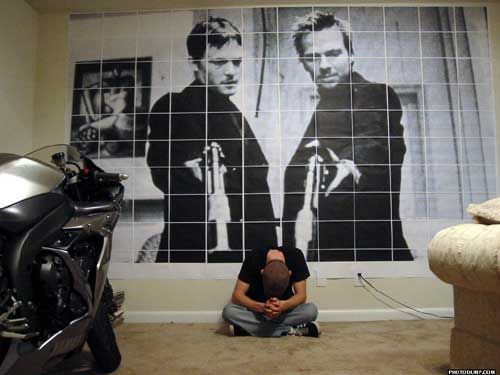
Rasterbator

MagMyPic – Fun website where you can turn pics into cool magazine covers. Quite handy in case you’re looking for a quick way to spice up your profile page.
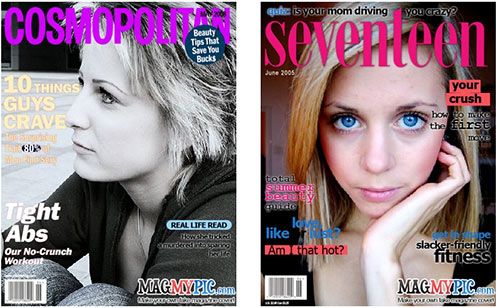
MagMyPic - Put Your Photo On Magazine Covers

ImageMosaicGenerator – Here you can get a mosaic version for any image you submit. Mosaic will be created out of randomly selected images from Flickr. Depending on the colors of your image, you may see very different results. Some turn out pretty well, some not so good.
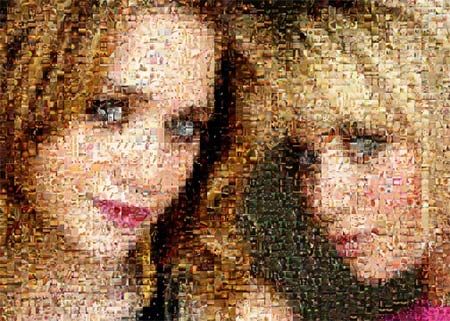
ImageMosaicGenerator - Online Image Mosaic Generator

Graphita – Graphita is a quick online app that lets you add some fun to pics by using captions, funny objects, speech bubbles, notes, doodles and more. All of this in an intuitive drag’n drop interface.

Graphica - Animate and Enhance Your Images

Photo2Text – Photo2Text is a simple web tool that lets you convert images to text files and download them to your computer. Simply upload your image, adjust brightness, choose characters to be used, and get it back as a text file (.TXT).
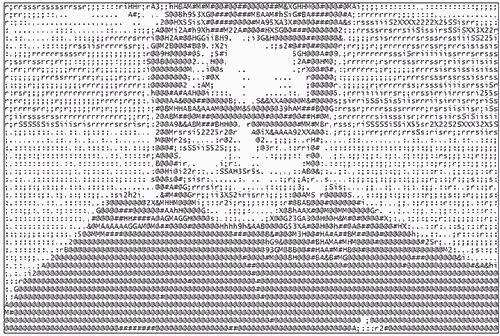
Photo2Text - Convert Photos To Text

Looking for more tools for working with images? You can also check out earlier posted ‘5 really powerful Online Image Editing Tools, or browse all image related tools in MakeUseOf Directory. Enjoy!


MakeUseOf Recommends

Aibek Esengulov

The guy behind MakeUseOf.com. Follow him and MakeUseOf on Twitter @MakeUseOf. For more details check out MakeUseOf about page.

The comments were closed because the article is more than 180 days old.

If you have any questions related to stuff mentioned in the article or need help with any computer issue, just ask it on MakeUseOf Answers.

Hide 24 Comments

  • Bruger December 4, 2007
    0 likes

    Thumbs Up! Best recommendation ever. I am gonna forward this to all my friends.

    | Like
  • erika-nicole December 4, 2007
    0 likes

    Love this list. Which one do I try first?

    | Like
    • Aibek December 4, 2007
      0 likes

      I say, go with beFunky;-)

      | Like
  • R3dd0g December 4, 2007
    0 likes

    Excellent Post!!! What else can I say? This is why I visit this site everyday.
    For some extra fun, try using a combination of any of these on your pictures.

    | Like
    • Aibek December 4, 2007
      0 likes

      “try using a combination of any of these on your pictures.”

      Excellent idea!

      | Like
  • Sherri December 4, 2007
    0 likes

    Excellent post! I’m going to try to get an invite to beFunky; if I don’t get an invite in a few days, I’ll come back here to get one, thanks.

    | Like
    • Aibek December 4, 2007
      0 likes

      No probs, I will keep one extra, just in case you will need one. ;-).

      | Like
  • frank drebin December 4, 2007
    0 likes

    awesome website, excellent post !!!!!!!!!!!!!!!!!!!!!!!!!!!

    | Like
  • UrStop December 5, 2007
    0 likes

    good posting, this is the best I have seen here

    | Like
    • Aibek December 5, 2007
      0 likes

      I guess you haven’t seen much :-)

      | Like
  • ste December 5, 2007
    0 likes

    Am I the only one who can’t use ImageMosaicGenerator? I submit the photo with the upload button, but then nothing happens…

    | Like
  • tips photo February 3, 2009
    0 likes

    Thanks for the great list. I love art and things that can be done with the new technology. I can’t wait to start playing with these but the hard part if finding what to start with.

    | Like
  • Emmes February 27, 2009
    0 likes

    I tried using Graphita but all I get is a circle with a hand inside and colored balls atop. I click everywhere .. nothing. What am I doing wrong?

    | Like