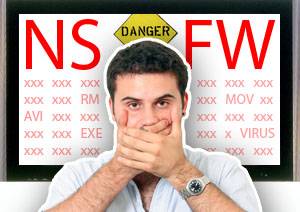
4 Telltale Signs That You’ve Downloaded A Fake Movie File

movie virusWhen you’re downloading a movie from a non-conventional source – torrents, warez websites, FTP – you’re always taking a stab in the dark. Especially if it’s your first experience with the source, there’s no telling what you’re actually downloaded.

If you’re not careful, you might get a virus from that fake movie file – or end up with a German porno instead of Winnie The Pooh.

Below are a number of telltales that you’re being deceived. It’s hard to be 100% sure, but these will go a long way in keeping your bandwidth from being wasted, and in keeping your computer away from potential threats.

1. Keep To A Trusted Source

Downloading movies has always been something of a murky grey area – Do you own the original? What are your regional laws? – So “trusted” is a strange word to mouth in this context. However, even these websites have makeshift ‘certified’ labels; a satisfied community.

movie virus

A download source, or even a single uploader that has delivered a steady stream of quality material, can be relied upon with a fair amount of certainty. Call it the momentum of trustworthiness. Stay away from unknown sources – the metaphorical back-alleys of the internet – as much as you can, and you will likely not even need the next couple of tips.

2. Keep A Close Eye On The File Names

Movies are initially captured, compressed and uploaded by encoders. They’re proud people, as they should be, because they’re iconizing and trying to maintain a brand. As a rule, movie filenames are long, sometimes complicated and often ugly. This is because they convey a lot of information; who encoded the movie, what source was used, and which subtitle files will match the timecode.

video virus

You’ll sometimes encounter downloads that fail to convey this. If there’s no specific release stated in the folder, archive or movie filename, you’re either dealing with an amateur re-uploader or a swindler. You’ll do good staying away from movie.avi, and other downloads that are too obviously ‘simple’.

2. Double-Check The Filetypes

There are a ton of different movie containers, but only a few are regularly used for feature films. Most of the cases, you’ll have to deal with AVI’s, and MKV’s to a lesser extent. Sometimes, your movie will be an MOV, RM/REAL/RMV, or MP4. Other movie formats, like WMA, WMV, DV, SWF and 3GP are encountered as a rarity. That sums up the majority of them.

video virus

There are a couple of filetypes that you want to watch out for, and they’re headed by the executables. EXE files can infect and start damaging your computer as soon as they’re opened. That, and the fact that movie containers and executables are two entirely different things, should warn you away from these “movies”.

So if you encounter a movie with an EXE suffix, or one that requires an executable to “unpack”, you better turn around and don’t look back.

3. Be Wary Of Installing Extra “Codecs” Or “Licenses”

Sometimes it looks like a duck and quacks like a duck, but it is actually a particularly nasty virus looking to infect your computer. These video files at first reveal nothing, but then a warning pops up, telling you’ve got an outdated/missing codec, or need to download a special license to play the video.

movie virus

It’s very well possible that your codecs are outdated. But never, ever, download new codecs from a link offered by the video file. For more information about, and where to find these codecs, take a look at 3 Ways to Play Unplayable Files on Your PC.

4. Stay Away From x3player & The Likes

A lesser known, and therefore all the more dangerous problem is the x3player. Your video file will tell you that it can’t be played with your native video player. Instead, it wants you to download one of the following ‘alternative’ players:

  • x3player
  • 3wPlayer
  • DomPlayer
  • etc.

There’s no reason that a video file should be telling you to switch video players. Any such problem can surely be solved by updating your codecs. No matter which link you use to download these ‘alternative players’, you’re in for a nasty surprise.

Also check out 3 Easy Ways To Preview Partially Downloaded Video Files, so you can abort those fake videos in time. Do you have any other tips and tricks for us to avoid fake video files?

Tagged:

Simon Slangen

I'm a student from Belgium, absorbing math and science in preparation for my computer sciences studies. I've been writing for MUO for quite some time now, which - because I just love everything regarding technology. Check out my meme? http://meme.yahoo.com/slangen/

Similar Stuff

The comments were closed because the article is more than 90 days old.

If you have any questions related to stuff mentioned in the article or need help with any computer issue, just ask it on MakeUseOf Answers.

  • Email

    …i think these “how to pirate” articles detract from your brand. if anyone wants to learn how to find streaming movies or download torrents, there are other brands out there doing it.

    • http://www.simonslangen.com/ Simon Slangen

      If you read the article, you would know that it doesn’t divulge anything about ‘how to pirate’, but rather about protecting yourself from some of the nasty things the internet (specifically downloads) has to offer.

    • http://vwllss.com William Brand

      The fact you mention streaming movies tells me you didn’t read the article ;) Try that next time!

  • Email

    …i think these “how to pirate” articles detract from your brand. if anyone wants to learn how to find streaming movies or download torrents, there are other brands out there doing it.

  • Simon Slangen

    If you read the article, you would know that it doesn’t divulge anything about ‘how to pirate’, but rather about protecting yourself from some of the nasty things the internet (specifically downloads) has to offer.

  • Cocadelic

    1,Also be wary of movies which come in compressed zip files. They may not contain viruses(the usually dont), but instead, within the are more compressed files which require passwords. To get these passwords, you will have to go through an endless cycle of completing online offers and surveys.

    2, Read comments regarding the file before downloading. ( an absolute MUST)

    3, If its too good to be true, it most likely is. The chances of there being a dvd rip of a movie which came out the night before is HIGHLY unlikely. Beware.

    • http://vwllss.com William Brand

      Point 1 is mostly true for torrent sites. In other places downloading a series of .rars is commonplace.

    • http://www.whoiswolf.com/ Madvillain` Halfstorm

      Point 1; Common mistake for some when a movie is only compressed onto one rar, however, if a movie is compressed into 8 or 9 rar files than they did it to keep the amount you’re downloaded down. It is often also used when downloading operating systems (Linux, of course).

  • Cocadelic

    1,Also be wary of movies which come in compressed zip files. They may not contain viruses(the usually dont), but instead, within the are more compressed files which require passwords. To get these passwords, you will have to go through an endless cycle of completing online offers and surveys.

    2, Read comments regarding the file before downloading. ( an absolute MUST)

    3, If its too good to be true, it most likely is. The chances of there being a dvd rip of a movie which came out the night before is HIGHLY unlikely. Beware.

  • Anonymous

    When downloading torrents, go with the torrent that has the maximum seeds. This will insure that the file is good quality and safe because people seed a file only if it is good, otherwise they just delete it. It will also make sure you get the maximum speed. Also look for the “trusted” and “vip” icons next to the uploader’s name. The most useful thing that they should have mentioned is that ALWAYS read the comments. They can save you a lot of time.

    • http://vwllss.com William Brand

      Horrible advice.

      Companies often put up fake torrents of their content with manipulated seed numbers to entice people to try and download them. Maximum seeds can quite often be a trap.

      • http://www.whoiswolf.com/ Madvillain` Halfstorm

        I find it is best to download a torrent that has a higher number of leechers instead of seeders. I’ll somehow squeeze my way in and download with extremely fast speeds, but after a look around the comment section and the user pages you’ll find that if a torrent has more leechers it is most likely a good thing. Not always, but most of the time there is a dead give away when looking at a torrents name.

      • Anonymous

        Maximum seeds is not the best way to go. However, VIP accounts at leading trackers are trustworthy.

  • deamonlord

    When downloading torrents, go with the torrent that has the maximum seeds. This will insure that the file is good quality and safe because people seed a file only if it is good, otherwise they just delete it. It will also make sure you get the maximum speed. Also look for the “trusted” and “vip” icons next to the uploader’s name. The most useful thing that they should have mentioned is that ALWAYS read the comments. They can save you a lot of time.

  • William Brand

    The fact you mention streaming movies tells me you didn’t read the article ;) Try that next time!

  • William Brand

    Point 1 is mostly true for torrent sites. In other places downloading a series of .rars is commonplace.

  • William Brand

    Horrible advice.

    Companies often put up fake torrents of their content with manipulated seed numbers to entice people to try and download them. Maximum seeds can quite often be a trap.

  • http://vwllss.com William Brand

    One thing that shouldn’t have to be said (but sadly sometimes needs to be) is pay attention to the file sizes of whatever you download. Movies aren’t 5MB, nor are pictures usually 10MB.

    • http://www.simonslangen.com/ Simon Slangen

      Great tip as well, thanks.

  • William Brand

    One thing that shouldn’t have to be said (but sadly sometimes needs to be) is pay attention to the file sizes of whatever you download. Movies aren’t 5MB, nor are pictures usually 10MB.

  • Simon Slangen

    Great tip as well, thanks.

  • Madvillain` Halfstorm

    Point 1; Common mistake for some when a movie is only compressed onto one rar, however, if a movie is compressed into 8 or 9 rar files than they did it to keep the amount you’re downloaded down. It is often also used when downloading operating systems (Linux, of course).

  • Madvillain` Halfstorm

    I find it is best to download a torrent that has a higher number of leechers instead of seeders. I’ll somehow squeeze my way in and download with extremely fast speeds, but after a look around the comment section and the user pages you’ll find that if a torrent has more leechers it is most likely a good thing. Not always, but most of the time there is a dead give away when looking at a torrents name.

  • mohanramkumar

    Maximum seeds is not the best way to go. However, VIP accounts at leading trackers are trustworthy.