
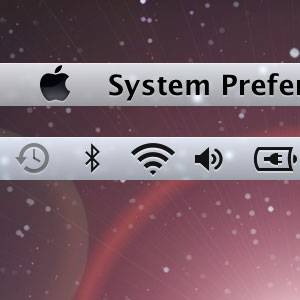
The menu bar on my Mac gets more attention these days than the Dock. The reason for this is quite simple - it's incredibly compact and dynamic in comparison.
One menu bar application will show you an unread count of your email inbox, but remain unobtrusive. That application is accompanied by numerous useful tools and system settings that are within easy reach without taking up a lot of screen real-estate.
There's only one real problem with my menu bar - it's an incredible mess. With the numbers of nifty menu bar applications ever rising, so does the incoherence and inevitable clutter. Below you'll find three tools to clean up, manage and extend the reach of your menu bar.
Bartender - Keep your Menu Bar Clean
The main problem for me is the sheer overload of menu bar applications. Over time, you may gather a great number of diverse menu bar applications and run out of screen real estate. When this happens, you can either kill off your least favorite applications, or look to Bartender for help.

Bartender will help you put your menu bar in order by hiding select applications, or by moving them to the Bartenders Bar, which is shown is the screenshot above. That Bartenders Bar can consequently be toggled in and out of view by pressing the Bartender icon, or by using a specified hotkey.
The application is free whilst in beta.
Rearrange Your Menu Bar Items
While you can rearrange official Mac OS X menu bar items by holding the command (cmd) key, the rest of your menu bar applications are just plastered next to one another in the order that they were launched. Although there's no beautiful way to sort your menu bar items, you can tweak their startup order to force a specific arrangement of the applications in your menu bar.
MenuBar ReArranger [No Longer Available] will do this for $4.99, but we can easily do this ourselves.

First, launch Applications -> Utilities -> AppleScript Editor, and create a new file. Next, add your menu bar applications using the following structure (including the quotation marks):
tell application "application-name" to activate
delay 10
tell application "application-name-2" to activate
delay 10
tell application "application-name-3" to activate
Save the script as an Application file on your computer, go to System Preferences -> Users and Groups -> Login Items, and add the file you just created. Finally, to avoid duplication, you'll want to turn off the "open at login" option in the application preferences of the items you included in your startup script.
Secondbar - Add a Menu Bar To Your Secondary Monitor
The most frustrating part about using multiple monitors on your system is having only one menu bar. More often than not, you end up playing cursor tennis, with your application window on the one screen, and your menu bar on the other.

Secondbar is a free application from the creator of BetterTouchTool that adds a menu bar to your secondary screen. It should be noted that Secondbar, although a godsend, is still in very early development. This means that not all Mac OS X applications are supported, and you may encounter a bug or two.
Do you use any tips or tricks to enhance your Mac OS X menu bar? Let us know in the comments!