Facebook Shortcuts

facebook shortcuts preview1 Facebook Shortcuts

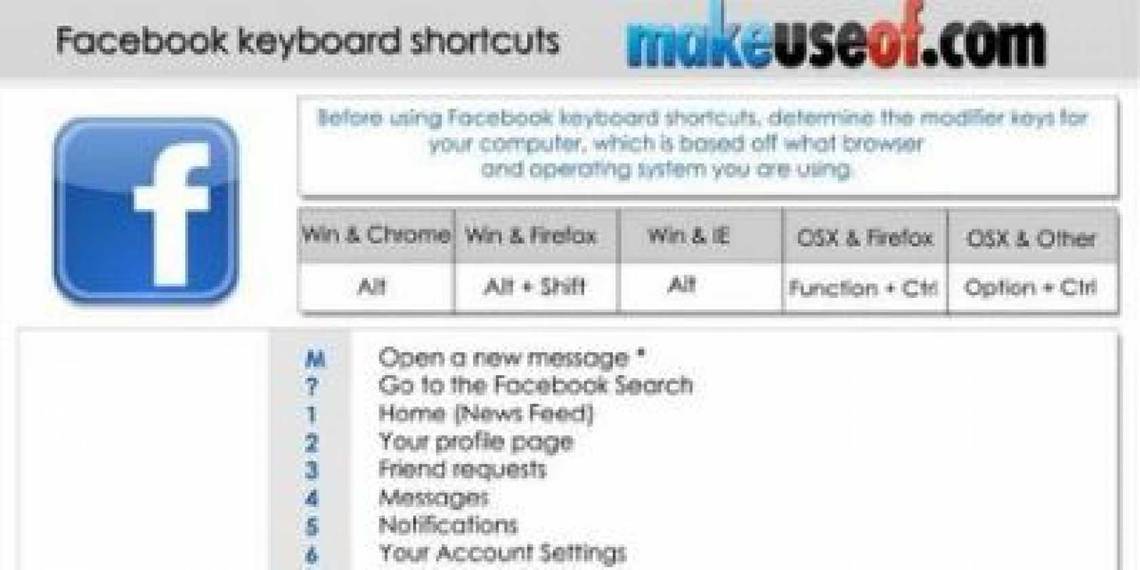
If you’re spending lots of time on Facebook, why not to make use of your time more efficiently while you’re at the site? Facebook provides users with about a dozen of handy shotcuts that users may use for faster navigation through Facebook.

For instance, Alt+1 will take you to your home page. Alt+M will take you to a new message screen. There are many more and this cheat sheet list them all, including codes for Facebook chat smileys. Make sure to check them out.

How To Download

Use the share buttons below to download!

Option 1: Very easy! Share this page on Facebook, Twitter, or Google Plus. You need to use the buttons above to share and your download link will be revealed right below! That would also help us spread the word. Thank you!

Option 2: Subscribe to MakeUseOf Newsletter and get unlock password to our downloads. Enter the password below to download the file. (Already subscriber? Re-enter your email in the newsletter subscription form to retrieve the password).

Leave a comment

Get a MakeUseOf account using one of your online accounts below.
Why? Earn points, unlock giveaways, access locked exclusives.

Hide 26 Comments

  • Paloking November 1, 2011
    0 likes

    There’s a Missing one, (Y) for the ‘like’ thumbs up :)

    | Like
    • Aibek November 2, 2011
      0 likes

      thanks for heads up. we’ll make sure to correct to add it on the next update

      | Like
    • Anonymous March 31, 2012
      0 likes

      L is for Like, no Alt needed. Not sure what you meant…

      | Like
    • Shane La Horie July 3, 2012
      0 likes

      You are correct the like is (Y) or :like:

      | Like
    • Shane La Horie July 3, 2012
      0 likes

      try this in the facebook chat and see what happens

      [[244554678970612]] [[244554692303944]] [[244554732303940]] [[244554758970604]] [[244554775637269]]
      [[244554805637266]] [[244554822303931]] [[244554842303929]] [[244554888970591]] [[244555112303902]]
      [[244555142303899]] [[244555152303898]] [[244555168970563]] [[244555185637228]] [[244555198970560]]
      [[244555205637226]] [[244555222303891]] [[244555238970556]] [[244555248970555]] [[244555265637220]]
      [[244555285637218]] [[244555305637216]] [[244555318970548]] [[244555332303880]] [[244555352303878]]
      [[244555365637210]] [[244555388970541]] [[244555418970538]] [[244555425637204]] [[244555438970536]]

      | Like
    • Shane La Horie July 3, 2012
      0 likes

      I just keep finding more and more.

      [[coeur130]]
      [[coeur233]]
      [[325412927480955]]
      [[coeur12]]
      [[f9.laugh]]
      [[f9.sad]]
      [[f9.angry]]
      [[f9.sleepy]]
      [[f9.shock]]
      [[f9.kiss]]
      [[f9.inlove]]
      [[f9.pizza]]
      [[f9.coffee]]
      [[f9.rain]]
      [[f9.bomb]]
      [[f9.sun]]
      [[f9.heart]]
      [[f9.heartbreak]]
      [[f9.doctor]]
      [[f9.ghost]]
      [[f9.brb]]
      [[f9.wine]]
      [[f9.gift]]
      [[f9.adore]]
      [[f9.angel]]
      [[f9.baloons]]
      [[f9.bowl]]
      [[f9.cake]]
      [[f9.callme]]
      [[f9.clap]]
      [[f9.confused]]
      [[f9.curllip]]
      [[f9.devilface]]
      [[f9.lying]]
      [[f9.rofl]]
      [[f9.billiard]]
      [[f9.cakepiece]]
      [[f9.rosedown]]
      [[f9.shutmouth]]
      [[f9.shy]]
      [[f9.silly]]
      [[f9.tongue1]]
      [[f9.fastfood]]
      [[f9.ring]]
      [[f9.plate]]
      [[f9.candle]]
      [[f9.party]]

      | Like
      • Aibek Esengulov July 5, 2012
        0 likes

        thanks)

        | Like
  • Earl Tate November 16, 2011
    0 likes

    Where is the email? PW Link

    | Like
    • Tina November 17, 2011
      0 likes

      Earl,

      did you not receive an email with your password after signing up for or subscribing to MakeUseOf?
      Did you check your spam or bulk folder?
      Also try to sign up again with the same email address to check whether the first try was successful. It will tell you if you already tried signing up.

      | Like
    • Subhramanyu Mishra July 3, 2012
      0 likes

      There is no email password link, just subscribe to MUO by entering your email address in the subscription form and hit enter, it will send you the confirmation email with a link, click on the link it will open up a page with password in it to download materials from MUO site.

      | Like
  • Jenipher Joelle February 15, 2012
    0 likes

    I could surf these web pages 24/7; Love MakeUseOf

    | Like
    • Aibek February 15, 2012
      0 likes

      thank you)

      | Like
  • RaMaN April 17, 2012
    0 likes

    I think the most important thing we need is links to some important pages which is very hard to find on facebook. Facebook also work with lack of mind. For eg. to change one’s name, general thinking is that we can change it where we edit our profile. There we’ll get everything like name, interests etc to edit. But mindless FB have this option in account settings. Privacy options are also scattered here and there. I’ve to put a big mind to work with facebook.
    You can make a cheatsheet of links like My wall (www.facebook.com/?sk=wall), My all activity (www.facebook.com//allactivity), My friends (www.facebook.com/friends) (there’s no fu*** direct link to view all our friends. the only link visible is ‘find friends’. If one don’t know the link, it’s hard for the person to view all of his/her friends), for Inbox – (www.facebook.com/inbox). Mindless facebook redirect you from some general keywords but the most general page i.e. http://www.facebook.com/wall it says ‘page not found’. It should redirect or take us to our wall.

    Thanks.

    | Like
    • RaMaN April 17, 2012
      0 likes

      that is username in between two // hashes.

      | Like
      • raman April 18, 2012
        0 likes

        okay. thanks.

        | Like
    • Aibek April 17, 2012
      0 likes

      Hey Raman,

      We are working on another cheat sheet for Facebook. It will include all essential links as well as settings for the user.

      Aibek

      | Like
  • Chris April 29, 2012
    0 likes

    Aibek, better include this FB smiley: “(y)” w/o quotation marks is the fb like emoticon. I hope you can revise this PDF. Btw, keep it up. Really find all other PDFs at makeuseof very benificial

    | Like
    • Aibek Esengulov May 1, 2012
      0 likes

      thanks Chris,

      We will add it on the next updateto the page, may take a bit of time though

      | Like
  • Ruthie Barrett Blank June 20, 2012
    0 likes

    the emoticons don’t work for me on FB, except the <3

    | Like
    • Bohed June 21, 2012
      0 likes

      Just to remind, these codes only work in FB chat, not it post updates!

      | Like
  • Shane La Horie July 5, 2012
    0 likes

    I come again bringing new stuff. Just check out these facebook links it has almost everything for facebook chat. New and exciting emoticons for facebook chat.

    1. http://www.facebook.com/note.php?note_id=312544265444129
    2. http://www.facebook.com/pages/Awsum-Emoticons/102724143181528
    3. http://www.facebook.com/pages/New-Face%E1%B8%83ook-Chat-Emoticons/122968311154075

    | Like
    • Tina July 6, 2012
      0 likes

      Thank you for sharing these, Shane.

      | Like
  • Diana Sinaga August 15, 2012
    0 likes

    Oouchh, thanks alot

    | Like
  • Irene Hennis August 18, 2012
    0 likes

    Hi, some of these people are right. Some of these downloads are zipped files. I am having a problem viewing some of them. Windows states that they cannot open the files and I have having problems with the free Adobe program. I tried Notepad and want to open with Libre Office…can anyone help? And yes, this site and the people are awesome! Thanks!

    | Like
  • Nikhil Chandak October 26, 2012
    0 likes

    I had never heard about fb shortcuts !!

    | Like