

People love taking shortcuts in all aspects of life; computers are no exception. Shortcuts, particularly ones performed by keyboard, can save you hours of time once applied properly. We've previously rounded up some cool keyboard shortcuts, but today we're here to produce the ultimate guide on Windows keyboard shortcuts (also known as Windows hotkeys).
After examining how useful shortcuts can be, we'll first look at universal shortcuts that perform the same function in pretty much every program you could use. We'll dive into specific programs after that, and finish up with a selection of alternative tricks. Stay on board and you'll be mastering these tricks in no time!
Why Bother With Shortcuts?
If you're not accustomed to using them, keyboard shortcuts might seem like a waste of time. After all, you can use your mouse to make selections, work with the toolbar options (like File, Edit, and Tools), launch programs, and navigate websites. Yet a mouse isn't required to use your computer at all; you could get around with just a keyboard if you had to.
You probably only have one hand on your mouse. Keeping that other hand on the keyboard and learning some keyboard shortcuts is an excellent idea; your spare hand probably isn't doing anything else productive!
If you were writing a paper in Word and took ten seconds to save the document every five minutes by manually clicking File > Save, you'd be spending two minutes of every hour just saving! A quick tap of Ctrl + S takes a fraction of a second and doesn't take your hands (and mind) away from typing like using the mouse does.
Now, you don't have to get carried away. Don't worry if your memory isn't capable of remembering hundreds of shortcuts. Focusing on just a few common shortcuts and integrating them into your daily use will soon make them second nature. Once you're not even thinking about them anymore, add a few more to your repertoire, and keep the cycle going!
Keep in mind that not every shortcut is worth using for every person, either. If you never play music on your computer, you're not going to use fast-forward shortcuts, so skip those!
http://www.youtube.com/watch?v=CpDyDwTPEzo
A Few Keyboard Shortcut Guidelines
To be clear, this guide is written for Windows keyboards. The keys on a keyboard shouldn't cause any ambiguity, but just for the sake of consistency:
- All keys and combinations appear in bold.
- Keyboard shortcuts that need to be pressed at the same time will use a plus symbol (e.g. Ctrl + S).
- Combinations that need to be pressed one after another will use a greater than symbol (e.g. Ctrl > T).
- As we go, we'll share various strategies for committing shortcuts to memory, including subliminally bolding letters of commands that match their shortcuts. If you don't find these helpful, glaze over them!
- The Shift key is used as a "reverse" function for many key combinations. For example, Space will jump down a set amount on a web page, so Shift + Space will move back up that same amount. We'll make a note when this applies to a shortcut.
- Control will be abbreviated as Ctrl.
- Windows Key is abbreviated as Win.
- Left, Right, Up, and Down refer to the arrow keys.
- Remember that no two keyboards are the same; some laptop keyboards may have Function (FN) keys that perform their own functions on the F1-F12 keys.

Universal Windows Keyboard Shortcuts
Of course, these aren't guaranteed to hold 100% of the time, but there are some shortcuts that will be identical in almost every corner of Windows or any program you use. Most of these have been around forever, so you might be familiar with a handful already.
Many of these basic shortcuts also conveniently have key combinations that match their function (such as Ctrl + S for Save), making them a cinch to learn.
Most Common and Useful Shortcuts
Win will open the Start menu on Windows 7 and 10 and allow you to start typing a search term immediately. You'll find this much faster than manually mousing over to the Start button and then having to type. Those on Windows 8 or 8.1 will go to the Start screen with this key.
Probably the most ubiquitous of our habits are the shortcuts that deal with text editing:
Cut, Copy, and Paste Using the Keyboard
- Ctrl + X to cut highlighted text (remove it and place it on the clipboard)
- Ctrl + C to copy text (place a copy of the text on the clipboard)
- Ctrl + V to paste text (copy the clipboard to the cursor position)
These shortcuts located all in a row on the standard QWERTY keyboard, making them easy to locate.
To keep them straight, think of X as making a cut, C standing for copy, and then V, the only one left, is the arrowhead pointing downwards for dropping or inserting what was saved to the clipboard. Don't forget that copy-pasting works for more than just text; images are fair game as well.
Select All
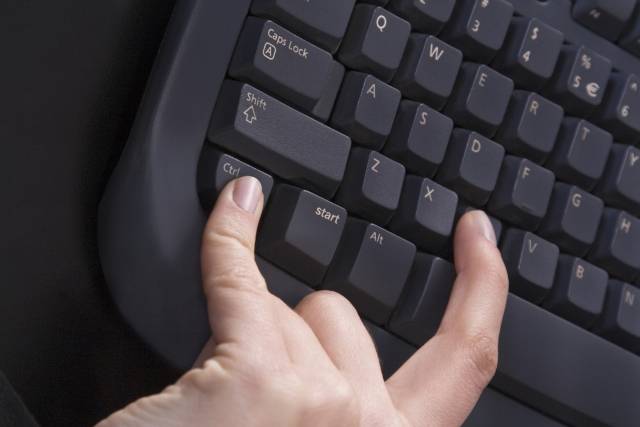
To select everything in the current space, use Ctrl + A. If you're typing in a textbox in Chrome, for example, this shortcut will select all the text you've typed. If you click any point on a page, you'll select every element, including images and other formatting.
Selecting all is most useful when you're trying to work with a bunch of files at once, or perhaps to grab everything you've just typed and re-use it elsewhere. Manually dragging the mouse over the selection is much slower.
Undo & Redo
Ctrl + Z will undo any action and is your best friend when doing any sort of work on your computer, especially tasks prone to errors such as image editing or formatting a document. Its counterpart, Ctrl + Y, will redo a previously undone action. Use these two regularly and your mistakes will disappear in an instant!
Delete Routines
When typing, instead of using Backspace to delete one character at a time, use Ctrl + Backspace to delete entire words at once. This also works with Ctrl + Del to delete one word in front of the cursor.
Save, Open, and Print Files
Use Ctrl + S to save whatever file you're working on---and do it often so you don't lose your work! In a browser, you can also use this to save a page for offline viewing. The keyboard shortcut for Save As (saving a file with a new name) depends on the app you're using. In Word it's F12; many other programs use Ctrl + Shift + S.
Ctrl + O will open a file into whatever program you're using.
Keeping in the Ctrl family, Ctrl + P is the universal command to print.
http://www.youtube.com/watch?v=P1x9ce1oOaU
Close Windows and Tabs
We'll talk about using shortcuts to open programs in Windows, but you can just as easily close out of your work with a few taps. Try ALT + F4 to close any window (identical to clicking the X in the top-right corner) or Ctrl + F4 to close out just the current tab. Alternatively, Ctrl + W will also close your tab.
Search Documents
When you're stuck searching for a word in a huge PDF document, web page, or other application, Ctrl + F will open the Find bar. Type anything in and you can use Enter to snap to the next result; Shift + Enter will go back one hit.
Move Between Windows, Tabs, and Monitors
How often do you find yourself switching between programs by clicking on their taskbar icons? Using Alt + Tab is faster as it lets you instantly switch between your last two opened applications.
Holding Alt lets you see everything that's open and allows you to Tab to any program. You can use Shift to step backwards, or Win + Tab and the same process if you like your switching to be a bit fancier. Note that in Windows 10, Win + Tab will open the virtual desktop screen (see the below section on Windows 10 shortcuts).
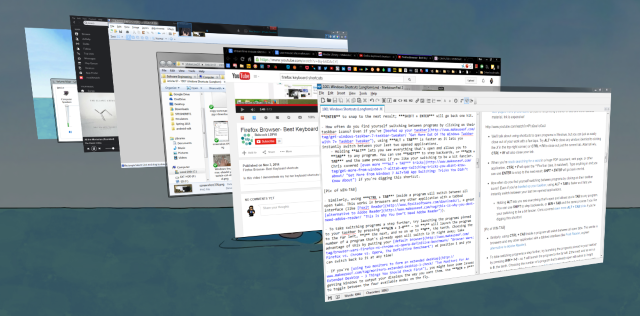
Similarly, using Ctrl + Tab inside a program will switch between all open tabs. This works in browsers and any other application with a tabbed interface.
To take switching programs a step further, try launching the programs pinned to your taskbar by pressing Win + 1-0. will launch the program to the far left, 2 the next, and so on up to 0, the tenth. Choosing the number of a program that's already open will switch to it right away. Take advantage of this by putting your default browser at position 1 and you can switch back to it at any time!
If you're using two monitors to form an extended desktop, you might have some issues getting Windows to output your displays the way you want them. Use Win + P to toggle between the four available modes on the fly. With multiple monitors, you can also use Win + Shift + Left/Right to move the current window between displays.

Open File Explorer and System Properties
File Explorer lets you browse all the files on your machine; one of the places you probably end up most is the Computer page to view your attached drives and devices. Get there instantly with Win + E.
Pressing Win + Pause will bring up the System Properties panel with basic information about your PC you should know.
Show Desktop
When you have tons of windows open and need to access a file on your desktop (or just want to admire your wallpaper), press Win + D to instantly show the desktop. You can tap it again to get back to where you were.

Minimize and Maximize Windows
Similarly, if you need to clear your mind from the insanity of work for a minute, press the Win + M shortcut to minimize all windows. Once you're ready to get back in the action use Shift + Win + M to get everything back open.
In most programs, using the F11 full-screen shortcut will expand the window to take up your entire monitor.
Lock Your Computer
You've read plenty about securing your computer, but none of your measures will do much good if your system is accessible to anyone who walks by. To quickly lock your computer as you stand up to walk away, use Win + L. If you've ever had someone leave a goofy Facebook update for you when you're away from your computer, you'll appreciate this one.
Open Security Screen and Task Manager
One shortcut as old as Windows itself that most people resort to when their system freezes up is Ctrl + ALT + Del. In modern versions of Windows, this will bring up the Windows security screen that lets you change your password or log off, among other tasks.
The program you're probably looking for is the Task Manager, which is directly accessed by the Ctrl + Shift + Esc combo. Once you're there, be sure you know what's going on with our tips on the Task Manager.

Windows 8/8.1 Keyboard Shortcuts
Windows 8 and 8.1 (you shouldn't use Windows 8 any longer as Microsoft is not supporting it) include their own set of key combos that might not apply in Windows 7 or earlier. Here are some shortcuts you'll want to know if you're rocking Windows 8.
Open Charms Bar and Search
Win + C will open the Charms bar, the central hub for searching, sharing, and accessing settings. You can use swipe gestures in Windows 8 to get there as well, but those are annoying and can activate by accident.
Since you can't just tap Win and start searching like in Windows 7, use Win + Q to open the Search charm from anywhere. This lets you search for files, settings, and even the Web if you like.
Other important Charm items have shortcuts too. Win + I will jump you to Settings, while Win + W lets you start searching settings (great if you need to find a buried Control Panel item).
Access System Tools
Win + X launches the Quick Access Menu, a useful menu containing shortcuts to common utilities like the Control Panel, Device Manager, or Programs menu. Since the Start Menu that used to hold all these shortcuts was removed in Windows 8, this group of commands is quite convenient.

Remember, on Windows 7 this menu doesn't exist, so Win + X brings up the Windows Mobility Center instead. It's still useful, especially on laptops where you change settings like screen brightness, volume, and display mode frequently.

Snap Windows
You can snap windows to either side of your screen for dual-pane working. Win + Period snaps the current App to the right side of the screen and Win + Shift + Period throws it to the left.
Open Modern App Command Bar

Windows 8 Modern Apps have unique App Command bars that appear at the bottom of the screen. For example, the Start screen's contains options to unpin, uninstall, or resize an app. Right-clicking or swiping up from the bottom of the screen will open these, as will Win + Z.
Windows 10 Keyboard Shortcuts
Windows 10 is the current version of Windows and makes up for the ill-received Windows 8. It contains all-new shortcuts that weren't around in 7 or 8. If you don't have Windows 10 yet, you can install it free.

Snap Windows
Windows 10 increases the functionality of window snapping. In addition to Win + Left and Win + Right, try Win + Up and Win + Down to snap your windows side-by-side vertically. Using all four, you can now display four windows at once in a 2 x 2 grid.
Virtual Desktops
Previously, you had to utilize third-party tools for this, but Windows 10 includes virtual desktops.
- Win + Tab goes from displaying a nice visual effect (in Windows 7) to an essential new menu: the Task View. Once you tap the key combination, you'll be able to let the buttons go and choose between open programs in your current virtual environment.
- ALT + Tab is the same as before, except you can switch between programs from any desktop.
On the subject of virtual desktops, you'll also want to use Win + Ctrl + D to create a new virtual desktop environment. Win + Ctrl + F4 closes your active desktop (remember that ALT + F4 closes open windows, so this is the same idea), and Win + Ctrl + Left/Right will toggle between your open desktops.
Open Settings App and Action Center
Windows 10 no longer contains a Charms bar. Win + I, which previously opened the Charms bar Settings, now opens the Settings app. To open the new Action Center, which collects your notifications and provides some handy toggles, press Win + A.
Cortana
Cortana is your digital assistant in Windows 10. You can summon her with Win + Q, where she'll instantly be ready to search with text you enter. If you're enabled listening mode, you can talk to Cortana after pressing Win + C.

More Windows 10 Features
You should know a few other shortcuts that don't fit into a category. In any text field, press Win + Period to open the emoji panel and select the perfect emoji for your mood. When playing a game, use Win + G to open the Game bar, which lets you easily take a screenshot or recording, toggle game-related settings, and more.
Navigate Command Prompt
Windows 10 includes some long-awaited new shortcuts that make using the command prompt much more user-friendly. Instead of having to right-click and choose Paste, you can finally use Ctrl shortcuts to edit text when on the command line.
Before you try these, you must enable them. Right-click on the title bar of a command prompt, choose Properties, and under the Experimental tab, check the box next to Enable new Ctrl key shortcuts.
- Just like other places in Windows, you can now use Ctrl + C to copy text, Ctrl + V to paste text, and Ctrl + A to select everything on the console window.
- Managing multiple lines of commands is much simpler when using Shift + Arrows to move the cursor and select text; up and down move one line, while left and right move one character at a time. Holding Ctrl + Shift + Arrows will move one word at a time. Keep holding down Shift to select more text.
- Shift + Home/End will move your cursor to the start or end of the current line, selecting all text on that line with it. Adding Ctrl to this shortcut will move to the beginning or end of the entire output.
- Holding Shift + Page Up/Down scrolls the cursor by a whole screen, and as you might guess, also selects the text on the page.
- Using Ctrl + Up/Down lets you scroll one line at a time (just like using the scroll bar on the right), while Ctrl + Page Up/Down moves a whole page up or down.
- Ctrl + M lets you enter a "marking mode" to mark text. Since you can highlight text now using Shift, you might not need this shortcut.
- You can finally use Ctrl + F to search for text in a command prompt.
Read: Essential Windows CMD Commands You Should Know
Specific Software Shortcuts
Now that we've seen shortcuts that work across Windows, let's take a glance at some time-savers for the best Windows software.
http://www.youtube.com/watch?v=XYKAilxQaV4
All Browsers
Whether you're surfing with Chrome, Firefox, Opera, or Microsoft Edge, these shortcuts will get you around with fewer clicks.
Switch and Open Tabs
- Ctrl + 1-8 will switch instantly to that numbered tab, just like Win + 1-0 switches to programs on the taskbar. Also, Ctrl + 9 jumps to the last tab even if you have lots of tabs open.
-
Ctrl + T will open a new tab. In combination with powerful browser omniboxes, you can instantly start typing a search term after using this shortcut.
- If you need to re-open a tab you just closed, Ctrl + Shift + T makes it reappear in a flash.
Open Links
When you want to open a link but don't want it to take over your current page, Ctrl + Left Click it to open it in a new tab. You can also Middle Click the link for the same result. Ctrl + Shift + Left Click will do the same as the above, but you'll be brought to the new tab instead of it being left for later.
http://www.youtube.com/watch?v=A4ehIJ-9Zm4
Go Back and Forth, Refresh, and Stop Loading
Instead of using your browser's back and forward buttons, Alt + Left will go back, and Alt + Right goes forward if applicable. For as often as you navigate pages, this is definitely one worth getting into the habit of using.
When you need to quickly refresh a web page, F5 will do it for you. To override the browser's cache and fully reload the page if it's being finicky, use Ctrl + F5. If you want to stop a page from loading, Esc will cease the page's activities.
Go Home
Having taken the time to set up an awesome homepage, you'll want to visit it whenever you can. Alt + Home will bring you back where the heart is.
Send
This one doesn't do anything in the browser itself, but many websites (including sending email with any provider and posting messages on Facebook and Twitter) use Ctrl + Enter as an equivalent to clicking Send or Enter.
http://www.youtube.com/watch?v=8q-b6DAr1YI
Zoom In or Out
Sometimes it's too hard to read text on a page, or perhaps you need to inspect an image from close-up. To quickly scroll, use Ctrl + Plus/Minus to go in or out. You can also hold Ctrl and slide the mouse wheel instead of using the plus and minus buttons for faster scaling. To jump back to standard zoom, a quick tap of Ctrl + 0 makes everything look normal again.
Address Bar Shortcuts
Ctrl + L instantly focuses the cursor on the address bar so you can paste in a URL or search for a term. Once in the address bar, Ctrl + Enter will add www. before your text and .com to the end of it. So instead of manually entering www.makeuseof.com, you can just type makeuseof, then press Ctrl + Enter and your browser will fill in the boring parts.
Navigate Menus
Use a few shortcuts to jump to the sub-menus of your browser. Ctrl + H opens the history, Ctrl + J will bring you to your downloads, Ctrl + D adds the current site to your bookmarks, and Ctrl + Shift + Del opens the prompt to clear the browsing history.
Other Programs
We've written at length in the past on shortcuts for specific programs, so we won't be redundant here. If you're looking to get around faster in your favorite software, these articles will put you well on your way.

- Evernote is a fantastic note-taking utility, and moving around efficiently is essential. Our guide to Evernote includes shortcuts to ensure you stay in charge of your stuff.
- Gmail: We've written a power user guide to Gmail, but anyone using Google's mail service can benefit from picking up a few Gmail shortcuts.
- Microsoft Office: Office apps like Word and Excel have their own set of shortcuts you should know. We've covered 60 useful shortcuts for Microsoft Office, including shortcuts specific to Outlook.
- Photoshop: Adobe Photoshop has so many tools that hunting around for them by mouse will take forever. Learn the most useful Photoshop shortcuts instead to work more efficiently.
- Kodi: The wildly popular media player isn't without shortcuts. Have a look at the biggest Kodi keyboard shortcuts if you're a power user.
- Default Windows Apps: If you use programs like the Calculator, Paint, and more, you should learn the best keyboard shortcuts in built-in Windows software.
Type Special Characters
Special characters (such as ¡ or ®) are necessary to type sometimes, but it's annoying to copy them from the web every time you need one. If you don't want to use a website like copypastecharacter to do the job quickly, using Alt and the numeric key pad lets you punch these in at any time.
Make Your Own Shortcuts
If you're not satisfied with the variety of Windows hotkeys available to you, it's time to make your own shortcuts. Since they're user-created, they're incredibly versatile. You can use them to just open a few of your favorite programs, or make in-depth shortcuts that perform a string of functions for you. Here's a basic overview of what you can do.
Launch a Program With a Shortcut
Go-to programs that you use all the time shouldn't be more than a few taps away. To make a custom shortcut, first find the program you want to use and create a shortcut icon for it. Place the shortcut anywhere, then right-click it. Choose Properties and in the Shortcut Properties box, type your combination into the Shortcut button.

Keep in mind that though all shortcuts made here start with Ctrl + Alt, it can't be a combo that's already in use elsewhere, so pick something unique.
Get Some Help From AutoHotKey
For anything beyond opening a few programs, you'll want to utilize powerful third-party tools to make some shortcuts. Since we've covered this topic in the past, I'll recommend giving the powerful AutoHotKey a shot. It lets you do nearly whatever you want with automation. Our AutoHotKey guide for beginners will help you learn the basics of this amazing tool.
How to Create a Desktop Shortcut
We've dedicated a full article to this topic. Check out the easiest ways to create a desktop shortcut in any version of Windows.
When Keyboard Shortcuts Go Bad
As amazing as keyboard shortcuts are, sometimes you activate a key combination by mistake, leading to all sorts of wacky things. Let's see some of the common culprits and find out how to actually take advantage of what they do!
- Ctrl + Alt + Arrow Keys will flip your display to 0, 90, 180, or 270 degrees. Unless you have a tablet PC you probably won't ever want your display shifted, so use Ctrl + Alt + Up to get it right-side up again. If you're the mischievous type, this function make a great PC practical joke to play on your friends.

- By pressing Shift five times in a row, you'll hear a beep and see a message telling you about Sticky Keys. This Windows accessibility function allows people who have trouble pressing two keys at once to use their keyboard. For example, to press Ctrl + Alt + Del with Sticky Keys enabled, you could tap Ctrl, then Alt, and then Del, one at a time.

For most, this is just a Windows annoyance you won't ever want enabled, so it's wise to disable the prompt so you stop being pestered about it. Tap Shift five times to get the pop-up (if it doesn't come up, you've already disabled it) and then choose to go to the Ease of Access Center, where you can disable the shortcut.
There Are Shortcuts in Life
You've made it through our massive list of Windows keyboard shortcuts! Although we compiled a ton of them, there are even more that aren't as universally useful.
Remember that you're not expected to remember or even use all the shortcuts presented here! Pick out the ones that you'd use most in a regular day, and work them into your routine. They're designed to help you, and I'll bet if you haven't been using many shortcuts until now, you will be pleased with your increased productivity. If it helps you, make up your own mnemonics to get them into your head even faster.
Hungry for even more shortcuts? Have a look at these time-saving apps and websites.