
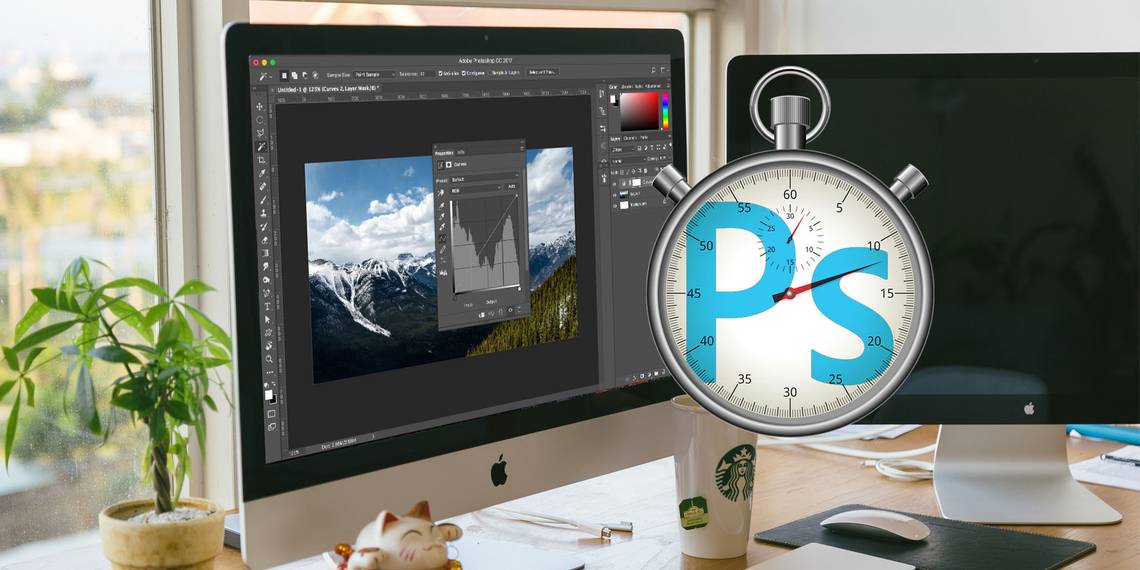
Photoshop is the best program you can get for processing your photos, but it can be daunting when you first use it: it's designed for professionals, after all.
The good news is that Photoshop is a lot more accessible to beginners than you might imagine. You can get the basics sorted very quickly. You'll be able to tidy up your shots, fix the colors, make them more punchy, and prepare them for printing or sharing inside just an hour.
Start the clock, and let's get going.
(If you don't have it yet, you can buy a copy of Photoshop here or start a free trial.)
Find Your Way Around Photoshop

The Photoshop interface, as we'll encounter it, is split into four main parts:

The Menu bar. Like every other piece of software, you'll find assorted options, from saving to editing to customizing the layout.

The Toolbar. Located down the left edge of the screen, this contains all Photoshop's key tools. Where the icon has a small triangle in the bottom right corner you can access extra related tools by holding the mouse down on that icon. Many tools are related to graphic design, so you might never actually use them. We'll explain the relevant photo-oriented ones as we encounter them.
The Options bar. When you select a tool the Options bar will change to show options related to that tool. This is where you can choose brush size and other more specific things.

Panels. To the right of the screen you'll find a column of panels, sometimes also called palettes. This includes the Adjustments and Layers panels, both of which you'll use heavily as you start processing your images.
When you select an option from the Adjustments panel it will open another new panel. This is effectively a dialog box containing various options and sliders for adjusting your image. Click the double arrow icon in the top right to close it.
Non-Destructive Editing
Photoshop has several methods to support non-destructive editing of photos, and we'll be using those here. In the simplest terms, non-destructive editing means you never directly edit the original image, so none of your changes are permanent.
We'll edit non-destructively using layers. This includes adjustment layers, where color and tonal tweaks are placed on their own individual layer that sits above the original image. Clicking an option in the Adjustments panel automatically creates a new adjustment layer.

You can edit an adjustment layer at any time by double clicking on it, or you can hide it (click the Eye icon) or delete it.
Sometimes we will need to directly edit the image, so we'll create a duplicate copy to sit on its own layer. The background layer will always contain an untouched copy of the original image.
If you aren't already familiar with layers and how they work, we recommend reading this guide to get up to speed.
Non-destructive editing is slightly more complex than directly editing an image, but it's worth getting used to right from the start. Directly editing the original image is bad practice.
Open Your Image
You can open an image in Photoshop in the same way you open any other file in any other program. Double-clicking on your desktop, right-clicking and selecting Open With, choosing File > Open from within Photoshop, and so on.
You can open more than one photo at a time. Each one will appear in its own tab inside the Photoshop interface.

If you're working with a lot of images, you'll be better off using a dedicated app to keep them managed and organized. Adobe Bridge is as good an option as any. It comes free with a basic, non-paid Adobe account, and it works with both Photoshop and Photoshop Express.
Crop and Straighten
The first thing you'll want to do to almost any image is to crop and straighten it. This helps you tighten the composition and ensure your horizon is level.

Select the Crop tool from the toolbar, or press C on your keyboard. In the Options bar make sure Delete Cropped Pixels is NOT checked. This enables you to crop non-destructively.

Drag the handles at the top, bottom, corners, and sides of the image inwards until you find the crop you're looking for. Alternatively, if you want to crop to a specific size or ratio enter this in the Options bar. Hit Enter to confirm.
To adjust the crop later o,n hit C, click inside the image, and re-crop.

To straighten your photo click the Straighten button. Now draw a horizontal line along the horizon. When you release the mouse button the image will rotate, and the corners will be cropped. Hit Enter to confirm (or Escape to cancel).
Rotate the Picture
Most cameras will automatically detect whether you shot a photo in portrait or landscape mode. But sometimes it fails, and you need to rotate the image manually. To do this, go to Image > Image Rotation and then choose either 90° Clockwise or 90° Counter Clockwise.
Fix the Exposure
When your photo is too bright or too dark, you'll need to fix it. There are two quick tools you can use, each tackling a different problem.

The Exposure tool adjusts all tonal values equally and is best for when the photo is under- or overexposed. In the Adjustments panel on the right, click Exposure. Drag the Exposure slider to the right to brighten, or left to darken, the image.

The Brightness option focuses more on the midtones and can brighten the image without affecting the highlights or shadows. This is best for most photos, where they're correctly exposed but need a little tweak to make them brighter or darker.
Select Brightness/Contrast in the Adjustments panel and drag the Brightness slider left or right to taste.
You can make a basic contrast adjustment here, too, although there are better ways to do that, as we'll see.
Boost the Colors
An easy way to make almost any image more appealing is to give the colors a boost.
Go to the Adjustments panel and select Vibrance. You'll see two sliders. Saturation changes all colors equally. You can set it to -100 to make a black and white image, but otherwise you should avoid it.

Vibrance is more subtle, as it focuses on the less-saturated colors without affecting those that are already bright enough. Drag the slider to the right to boost the colors. Don't overdo it: +15 to +30 will be plenty.
Add Contrast With Levels
Like colors, many photos can benefit from a bump in contrast. It makes them look punchier and less flat. Photoshop has multiple ways to adjust contrast. The best for beginners is the Levels tool, which is powerful yet easy to grasp.
Click Levels in the Adjustments panel to get started. Levels is built around the histogram. This is a chart that shows the tonal range of the photo, from black on the left to white on the right.
The simple trick to add contrast is to drag the left hand tab inwards until it's in line with the first clump of data in the histogram. Then do the same with the right tab.

This has the effect of increasing the photo's tonal range. The darkest point in the photo will be 100% black, the lightest 100% white. As you drag the tabs you should notice an immediate improvement.
If the result is darker or lighter than you'd prefer, drag the center tab -- which adjusts midtones -- left or right to correct it.
Fix White Balance With Levels
Cameras are pretty good at setting the right white balance. But sometimes they can be thrown off, leaving a color cast on the image.

You can fix this by clicking on Levels in the Adjustments panel. There are three eyedroppers on the left of the panel. The middle one is used to select a gray point in the photo, which in turn corrects the white balance.
Select the eyedropper, then locate an area of gray in your photo and click inside it. You should see an immediate correction. If you don't like the result, keep clicking.

If you can't find anything in your picture that is gray, pick a neutral color instead. Click on the Info tab on the Layers panel, and locate the R, G, and B values in the top right. Now hover the eyedropper back over the image until you find an area where the RGB values are the roughly the same. Click to apply the correction.
Remove Unwanted Objects
No matter how well composed your shot is, it's not uncommon to have things in the frame that you'd rather weren't there. It may be dust on the sensor or an ugly trashcan in the background of your landscape.

To get started, duplicate your background layer so you can edit non-destructively. Do this by highlighting the layer and hitting Ctrl+J on Windows, or Cmd+J on Mac.
If you've already got duplicate layers that you've used for other edits, select the top one of these layers and make a copy of that instead.
Remove Dust and Spots
For dust or other spots, select the Spot Healing Brush Tool from the toolbar or hit J. Pick a brush size either from the Options bar or by using the square bracket keys to make it larger or smaller. Choose one that is marginally larger than the speck you want to remove. Then click on the speck. It should disappear.
Remove Red Eye
Photos taken with a flash can sometimes leave red spots in the subject's eyes. To remove these select the Red Eye Tool (it's hidden under the Spot Healing Brush Tool), then click on the red spot on the eye. Processing takes a few seconds, but is usually successful.
Remove Larger Objects
To remove a larger object, select it either by using the Marquee Tool (M) and drawing a square around it, or with the Lasso Tool (L) and drawing round it freehand.

Next, go to Edit > Fill and set Content to Content Aware. Hit Enter and after a few seconds the object should disappear. You can repeat the process to remove any rough edges that remain.

Your success with this tool depends on the size of the object you're removing, and how complex the background it's on. Removing things from detailed images is an advanced skill.
For help removing shadows from photos, take a look at our helpful guide.
Move Objects
As well as removing things you don't want in your image, you can move them into new positions, or duplicate them.
The quick tool is best used on smaller elements placed against plain backgrounds or backgrounds with non-uniform textures (like foliage). Working with anything larger or more difficult requires more extensive Photoshop skills.

To move objects, duplicate the image layer then select the Content-Aware Move Tool. This is found beneath the Spot Healing Brush Tool, or by pressing Shift + J to cycle through the tools in that sub-menu.
Now simply draw around the object you want to move. When you release the mouse button you'll have made a selection, indicated by a dotted line. Click inside this selection, and drag the object to its new position. When you've got it in the right place, hit Enter.

The tool should blend the object with its new surroundings and fill the space left behind with a new background. To duplicate objects instead of moving them, go to the Options bar and set Mode to Extend.
Enhance Detail With Dodge and Burn
Dodge and Burn are concepts that have been carried over from photography's film days. In Photoshop they are an excellent way to add local contrast and enhance details.
The Dodge and Burn tools are brushes that you paint over selected areas of your image. All you need to know is that Dodge lightens the image, and Burn darkens it. The more you paint over an area the lighter or darker it gets.

Go to Layer > New > Layer. Set Mode to Overlay, then check the box labelled Fill with Overlay-neutral color (50% gray). Hit Enter. This adds an invisible gray layer on top of your image, and you can apply your dodge and burn adjustments to this layer non-destructively.

Select the Dodge Tool (or press O on the keyboard). In the Options bar choose a brush size and hardness (a smaller, soft one is normally better), then decide whether you want to target the image's highlights, shadows or midtones -- the latter is chosen by default.
Now, begin painting over the areas of the image you want to brighten, and use the Burn tool on the areas you want to darken. Use small strokes and don't overdo the effect. Try it on hair to make it pop, on textures to bring out the detail, or shadows to add drama to your image.
Whiten Teeth
While you should be wary of over-processing your portraits, brightening your subject's teeth is a quick and subtle way of making the photo more appealing. And don't worry, this isn't a comment on their dental hygiene -- it works on perfect teeth, too, especially where they aren't lit as well as they could be.
Choose the Quick Selection Tool (W). Select a brush size proportionate to the size of your image, and set the Hardness to around 80%. Now zoom in.

With the Background layer selected, click and drag over the teeth. As you drag, the selection should automatically expand to include all the teeth, without grabbing the lips and gums. If any unwanted element does get added to the selection, hold the Alt key and draw over it to remove it.
When you're happy with the selection, hit Ctrl + J on Windows, or Cmd + J on Mac. This will create a new layer containing just the teeth.

Now highlight that new layer. Select the Dodge Tool (O), set the Range to Midtones, then paint over the teeth. You should see them brightening up in real time. Continuing painting until they're as bright as you want them to be. To fine tune the effect, select the Opacity slider in the Layers panel, and reduce it until it's nicely (and realistically) blended.
Brighten the Eyes
Note that you can do the same thing to make your subject's eyes sparkle, as well. This time, select the Elliptical Marquee tool (M). Set the Feather setting in the Options bar to 20px, then draw around the eyes. Hit Ctrl + J or Cmd + J to duplicate them on their own layer.

Now use the Dodge tool to brighten the eyes. Keep it subtle, and use the Opacity slider to fine tune the effect.
Add Drama to Skies With a Graduated ND Filter
You can't always control the conditions in which you're shooting. This especially applies to the sky. In high-contrast scenes the sky often ends up overexposed, or on cloudy days you're left with a boring gray mass filling the top of the frame.
The best way to fix this is by mounting a graduated neutral density filter to your camera lens. If you don't have one of those, you can fake the effect in Photoshop really easily.
Start by duplicating the image layer. Then hit Ctrl + L on Windows, or Cmd + L on Mac to open the Levels tool. (You need to apply this particular adjustment directly to the layer, so don't select Levels from the Adjustments panel as we did before.)

Grab the center tab below the histogram and drag it to the right until the sky is better exposed — the darker it gets, the more dramatic it will look. Ignore the fact that the rest of the image will now be too dark. Click OK to continue.
The next step is to apply a mask to the layer.
Introducing Masks
Masks are a fundamental part of Photoshop, and are extremely powerful. They enable you to seamlessly blend together two or more layers.
In simple terms, a mask controls the opacity of the layer upon which it is placed. This is done by painting white and black areas onto the mask: white areas are fully opaque, and black areas are fully transparent. Where there is black, you can see the content of the layer directly below.
When you use a gradient from white to black you get a smooth transition between the top layer and what's visible underneath.
Add a Layer Mask
With your duplicated and newly edited layer selected, hit the Add layer mask button at the bottom of the Layers panel.

From the toolbar, select the Gradient Tool (G). In the Options bar select the Gradient Editor, and choose the White to Black gradient.

Now draw a gradient on the image. Click around a third of the way from the top, then drag down in a straight line to the horizon. The two layers will now blend together; the bottom will be your correctly exposed foreground, and the top your newly dramatic sky.
Redrawing the gradient overwrites the previous effort, so you can try repeatedly until you find the effect your happy with.
Experiment With Black and White
Photoshop makes it easy to experiment with black and white photography. It's non-destructive, so you can undo the changes at any time.
Select the layer containing your image, then in the Adjustments panel click Black & White. The color will now be removed from the photo, but all the changes go on a separate adjustment layer. Just delete this layer to revert back to the color version of your shot.

In the Black & White panel you'll see a series of sliders. Each relates to a color, which in turn affects the tone of the corresponding color in the original image.I
f you drag the Green slider to the right, all the parts of the image that originally contained green will get lighter. Drag the Blue slider to the left and all the blue areas of the image -- like the sky -- will get darker.
Experiment with the sliders until you find an effect you like. You'll see that some will enhance the detail in certain areas, while others will create more dramatic shadows. You can also hit the Auto button to create a balanced result.

For an even more creative effect, click the Tint button and choose a color.
Noise Reduction
By now your photo should be looking pretty good. So it's time to finish it off by tackling a couple of technical aspects. First, noise.

Duplicate your image layer and go to Filter > Noise > Reduce Noise. Adjust the Strength slider to set how much noise reduction you want to apply. A higher amount removes more noise but also softens the image and removes detail. You can try and recover detail by moving the Preserve Details slider.
Noise reduction is all about finding the right balance between noise and detail. Use it too heavily and you'll give your photo a soft, artificial look.
Sharpening
Most images can use a little sharpening to help make them pop. First, duplicate your background layer (or if you've already created duplicates, pick the top layer containing the image).
Highlight the duplicate layer then go to Filter > Sharpen where you'll see various options for sharpening your pictures. The one you need to use is called Unsharp Mask. Despite what the name implies, it won't make your photo less sharp. Select it to open the Unsharp Mask dialog box.

Sharpening is a skill in its own right, so for now you can simply restrict yourself to using the Amount slider to find the level of sharpness you need. Click inside the preview window to toggle between a before and after view as you go.
As always, don't overdo it. Until you're confident with what you're doing, try to avoid going beyond 120%.
Add a Frame
Adding a frame or border to an image can often make it look nicer when shared online. It takes just a few seconds to do.

Select the Background layer then go to Image > Canvas Size. What we're going to do is increase the size of the canvas on which the image is placed. The image itself will stay the same size, and the larger canvas behind it will give the effect of a border.
At the bottom of the Canvas Size dialog box, set Canvas Extension Color to White. This will be the color of the frame, so you can choose black instead, or anything else if you prefer.

Now, under New Size set a new Width in Pixels. A good starting point is to increase the size by 1–1.5%, so if your image has a width of 4000px, enter 4060px as the new width. Now increase the Height by the same number of pixels and hit Enter. Your image now has a frame.
Saving Your Work
When you save your work it's important to choose the right file format.
JPEG, or other common image formats, don't support Photoshop layers. To retain the layer information, and keep it editable in future, you need to save the file in the PSD format.
Saving as a JPEG (or any other common image format) will flatten the image, lose the layer data, and permanently write your edits to the original file. However, you will need to save in those formats to share your pictures online.

As a result, you might want to keep two copies of the image -- the PSD is your "master" copy, and the JPEG is your shareable version.
Resize the Image For Printing and Sharing
Once you've saved your image you're ready to print or share it. Before doing this you might want to resize the image, either to produce a smaller and more manageable file size, or because you don't want to post the full resolution file online.
To resize go to Image > Image Size and enter your preferred dimensions. Or you can select the Fit To drop down menu to access presets for various common print sizes.

A good rule of thumb is to print images at a resolution of 300 pixels per inch, or at least no lower than 200ppi (which will result in pixellated prints). To work this out, just multiply the length of your intended print in inches by 300. A 10" x 8", therefore, would be 3000 x 2400 pixels.
For sharing online, you can choose whatever size you want. Bear in mind that most people have desktop or laptop displays at least 1920 pixels wide. Don't go below this if you them to be able to look at the image full screen, or if you want to use the image as your own desktop wallpaper.
Don't forget to save again once you've resized. It's a good idea to save a new copy for printing or sharing.
Working With RAW Files
If you're shooting in RAW, your photos will open by default in Camera Raw. This allows you to process the images before you bring them in Photoshop. It gives you access to many of the features we've looked at here, including cropping and straightening, white balance, exposure and contrast, spot removal, noise reduction, and sharpening.
You can't save changes to a RAW file. If you make the edits in Camera Raw and click Done, it'll save a separate .XMP file containing info on these edits. You must store this together with the RAW file in order to not lose the changes in future.

Alternatively, click Open Image to start working on your file directly in Photoshop.
The Next Steps
You now know the basics of processing photos in Photoshop. You can straighten your images, correct the exposure and colors, remove unwanted items, reduce noise, and add impact through sharpening. With these skills your images are ready to print, or share online.
When you're ready to explore Photoshop further, you should take a look at these tools and techniques:
- Curves: similar to the Levels tool, but a whole lot more powerful.
- Pen Tool: the best way to make very precise selections, and essential for adding elements or changing backgrounds.
- Clone Stamp Tool: effective for removing larger objects or repairing (or faking) images.
- Masks: there's a lot more to learn about masks, and you'll use them a lot as your images get more complex.
Photoshop is an endlessly rewarding tool. It's easy to get started, and the more you put into it, the more you learn. But even if you just want to stick with the basics, your photos will now be better than ever.
So what's next? We recommend learning how to use the blending mode in Photoshop along with how to create a custom color palette. And if you want to speed up your workflow, give custom Photoshop workspaces a shot.