
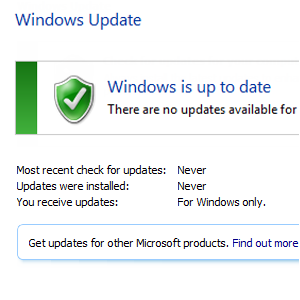
Windows Update is one of the key elements of Microsoft’s operating system for keeping your computer working and up to date. Without it, your computer would freely collect malware, unpatched security holes would be exploited and generally things would run pretty slowly.
Fortunately, your computer does have Windows Update, capable of adding new functionality, fixes, service packs and device drivers to your Windows 7 PC or laptop.
But what happens when Windows Update goes wrong? How do you overcome issues installing the latest updates, and keep your computer secure and functional?
The Importance of Windows Update
Unless you’re running a computer that doesn’t have new software installed, you don’t add new hardware and the device is never connected to the Internet, then you probably won’t need Windows Update.
But then, who uses a computer in that way in this day and age?
The fact is, Windows Update is hugely important. You should have it activated and set to check at least weekly. As it is cleverly designed to download updates to your computer in the background, you really don’t need to worry about it – the automated system will keep your computer secure and functional while you carry out the usual tasks.
When Windows Updates Work

You can check the current status of Windows Update via Control Panel > System and Security > Windows Update, or by typing “update” in the Start menu and selecting the first result.
From here, you can initiate an instant check for updates or schedule how often you would like Windows 7 to connect to the Windows Update servers to collect and install the fixes and drivers required by your computer. You can also instruct the computer to only download the updates, rather than install them as well – this is useful if you have limited space on your HDD or you want to avoid installing useless updates such as language packs.
Troubleshooting Failed Windows Updates
When a Windows Update doesn’t work, you should notice that items that have been downloaded to install on your computer don’t disappear from the list on the Windows Update page.
Basically, these items have failed to install, and will remain in the list until they’re installed or discarded (you can hide items by right-clicking and selecting the appropriate option).

A failed update that has been (partially) installed will usually be highlighted with some sort of error message. To check your Windows Update history (of all items that have been downloaded for Windows to install), look for the View update history option on the left pane of the Windows Update screen.

You should also visit the Install Updates screen to compare the updates and look for any differences that might indicate which Windows Update is causing the problem. You might also try uninstalling the last successfully-installed update just in case this has caused a problem with subsequent updates.
Another way of troubleshooting Windows Update is to manually start the process and download and install each pending update one at a time, allowing the computer to restart when prompted. It might not sound much, but this simple step could resolve the issue in a matter of minutes.

There is another way that you can overcome Windows Update installation issues, thanks to the Windows 7 Troubleshooting tool. To run this, click Start and type “troubleshooting”. You should see the tool listed first, so select to open. Under System and Security, look for Fix problems with Windows Update, and follow the wizard through to the end.
Is A Problem with .NET Framework Preventing Update Installation?
Another way in which you can overcome problems with Windows Update is to look beyond that particular service. Some Windows Updates require the Microsoft .NET Framework to install – but what if that particular software isn’t working correctly?

To rule this possibility out, you can take advantage of the .NET Framework Setup Verification Tool to verify the state of your computer’s .NET installation. Head to Aaron Stebner’s MSDN blog to download the tool [Broken URL Removed].
If you should find any faults, the .NET Framework Cleanup Tool [Broken URL Removed] can be used to tidy things up, removing the version of .NET (your computer might have multiple installations of the framework) you select. Once this has been done, download the standalone installer from Microsoft.
With this reinstalled, you should then be able to return to Windows Update, hopefully with the result of a successful hotfix/update/service pack installation!
Get Windows Update Working Again!
With the various problems that can occur running Windows Update, you might feel that it’s more trouble than it is worth. The truth is, however, quite the opposite. For a few minutes of troubleshooting you could be saving yourself hours and hours struggling with issues caused by exploits and hardware drivers.
Windows Update is a vital element of what makes Windows 7 work so well, so switch it on, use it, and if you find there are any problems, use these steps to overcome them!
Image Credit: .NET Logo via Lifemaestro